Introduction
Most website chatbots don’t generate leads. They answer questions, sometimes badly, and then the visitor closes the tab. If you’ve installed a chatbot and your lead numbers haven’t moved, the problem usually isn’t the AI. It’s that the chatbot was built to chat, not to qualify and convert.
This guide walks through what actually separates a lead-generating chatbot from a glorified FAQ widget, and how to build one that fits into your existing sales process instead of sitting next to it.
What Makes an AI Chatbot Actually Generate Leads (Not Just Answer FAQs)
So what actually separates a chatbot that converts from one that just… chats? Three things, really. It asks the right qualifying questions at the right moment. It knows when to stop making small talk and start collecting contact details. And it gets that info to your sales team fast, before the lead has time to go cold.
Most off-the-shelf chatbot tools weren’t built for this. They’re support tools at heart, designed to answer a question and wrap up the conversation as quickly as possible. A conversion-focused chatbot does the opposite: it keeps the conversation going just long enough to figure out what the visitor actually wants, then nudges them toward something concrete, booking a call, requesting a quote, grabbing a resource in exchange for an email.
And here’s the thing worth remembering as you read the rest of this guide: it’s not really about which AI model you use. It’s about the logic sitting behind it.
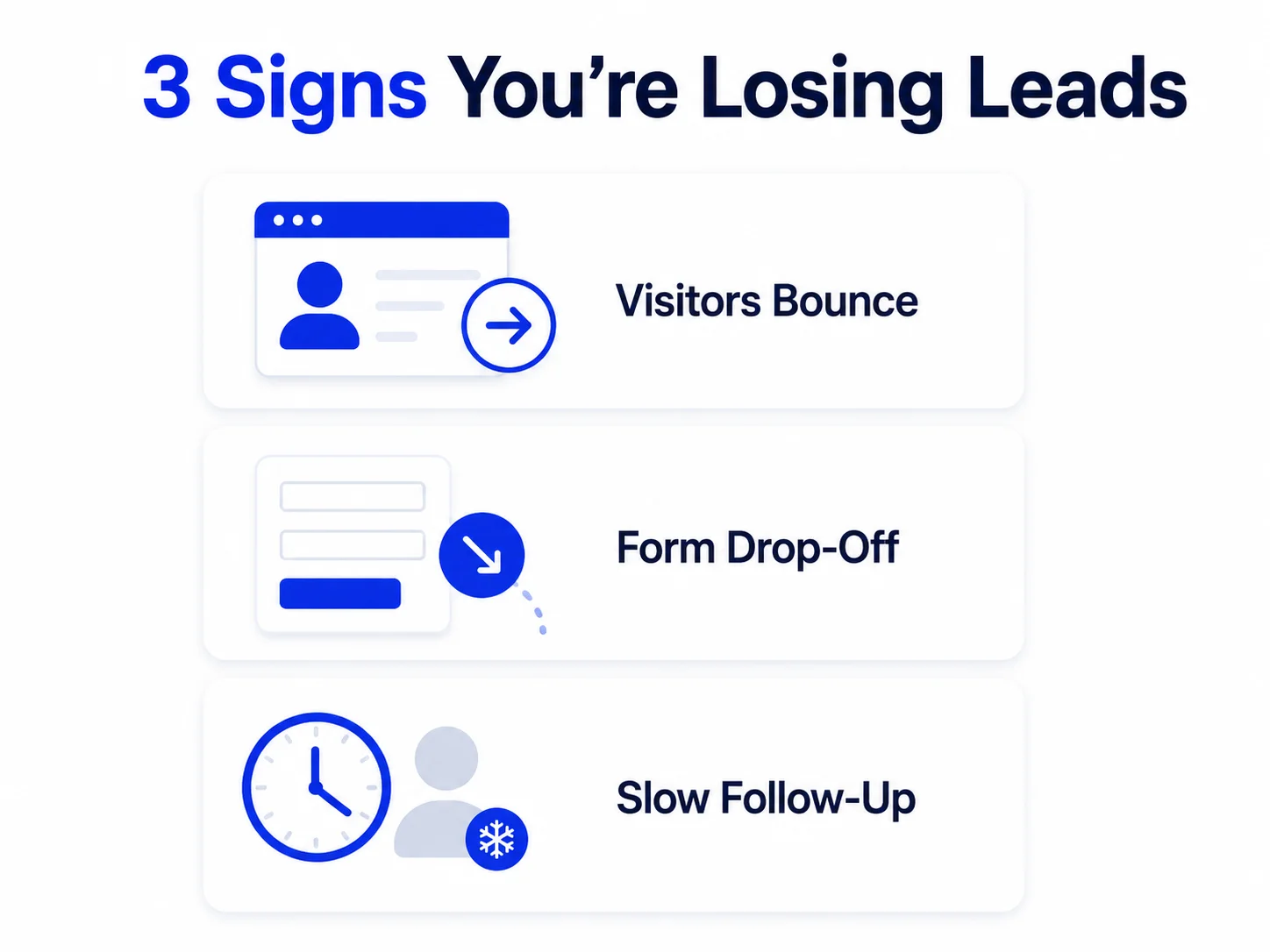
The 3 Signs Your Website Is Losing Leads Without a Chatbot
Someone lands on your pricing or services page, doesn’t find exactly what they need, and leaves. A chatbot placed at that moment can catch the question before the visitor gives up.
Static forms ask for a lot upfront with no context. A conversational flow that asks one question at a time, and explains why it’s asking, converts better than a ten-field form.
Speed matters more than most teams realize. A chatbot that qualifies and books a call in real time removes that lag entirely.
None of these are reasons to bolt on any chatbot. They’re reasons to build one with intent.
Step 1: Define the Lead-Qualifying Questions Your Chatbot Should Ask
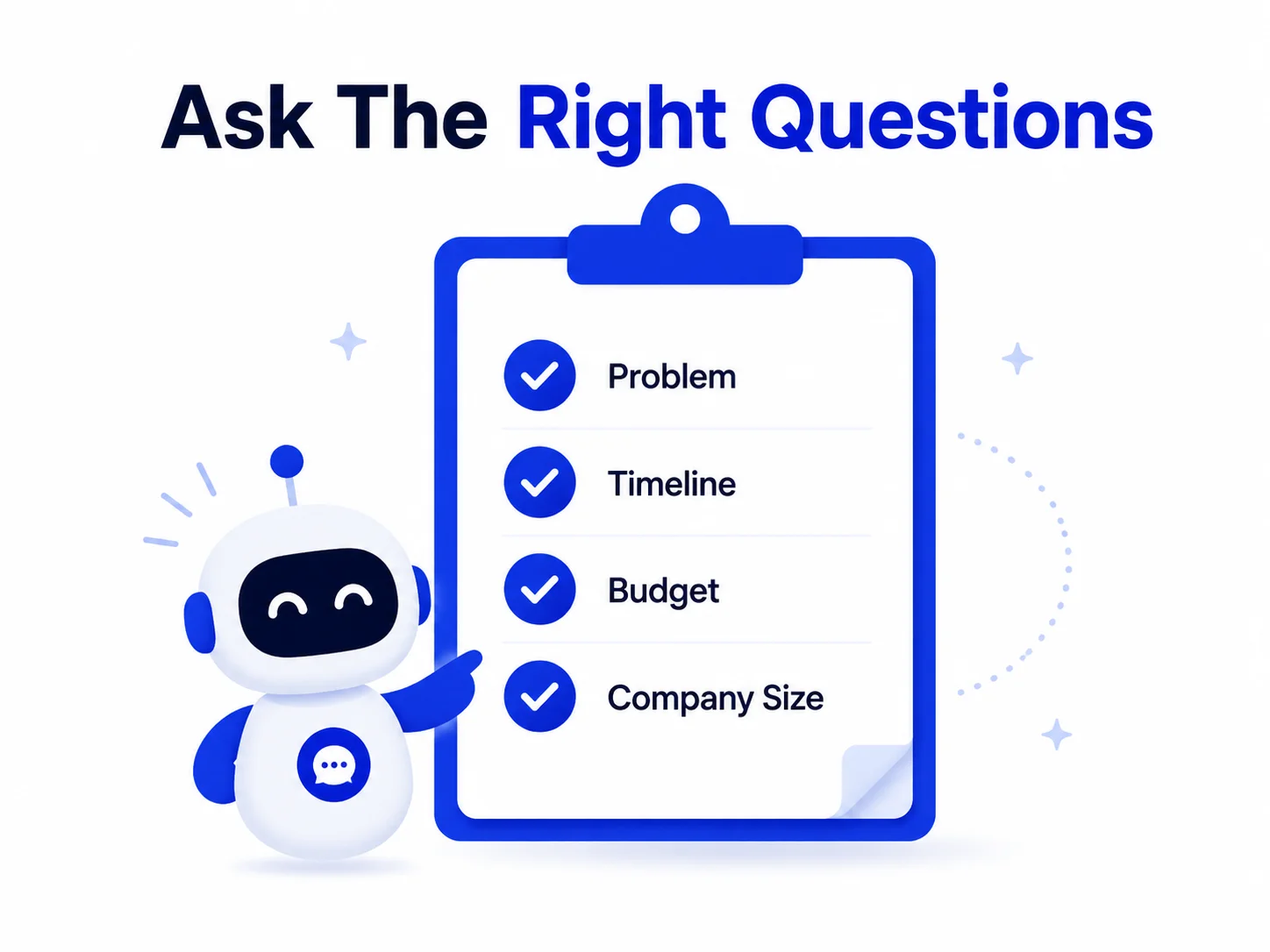
Before touching any platform or model, write down the three to five questions your sales team actually asks on a discovery call. These usually cover:
- What problem is the visitor trying to solve
- What their timeline looks like
- Whether they have budget authority or are researching on behalf of someone else
- What their company size or industry is, if that affects how you'd serve them
These questions become your chatbot’s qualification logic. The goal isn’t to interrogate the visitor. It’s to ask just enough to know whether this is a lead worth routing to a human, and to make sure the handoff to your team includes context instead of just a name and email.
A common mistake here is copying generic chatbot templates instead of building qualification questions around your actual sales process. A chatbot that asks the same questions your sales team already asks will produce leads your team can act on immediately.
Step 2: Design Conversation Flows That Move Visitors Toward a CTA
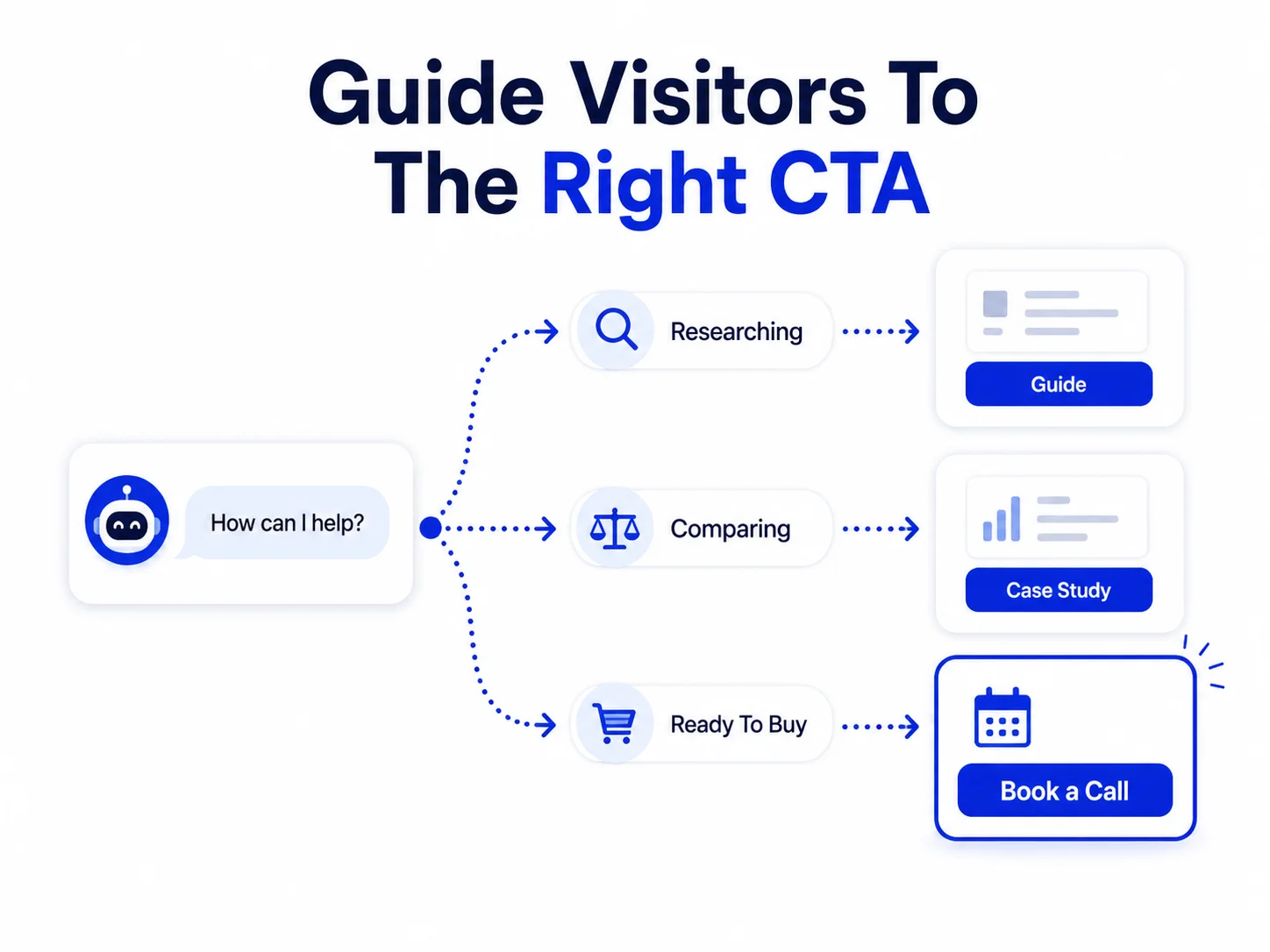
Once you know what to ask, map out how the conversation branches based on the answers. A visitor who says they’re ready to buy this month should be routed differently than one who’s still researching.
Good conversation design follows a simple pattern: acknowledge what the visitor said, ask a follow-up that narrows their intent, and offer a next step that matches where they are. Someone early in research might get offered a guide or case study in exchange for an email. Someone with urgent intent should be pushed straight to a calendar booking link.
The mistake most teams make is offering the same CTA to everyone, usually “book a call,” regardless of where the visitor is in their decision. That works for maybe a fifth of your traffic and quietly repels the rest.
Most teams get stuck between two bad options here. Either they bolt on a generic chatbot widget that can answer FAQs but has no idea how to qualify a lead, or they try to build a custom LLM setup from scratch and spend three months on infrastructure instead of conversations. Neither gets you leads faster.
At Nyx Wolves, we typically start with a hybrid approach:
The setup that actually works is a pre-trained model for natural conversation, layered with a rules-based qualification flow that decides when to ask for contact details versus when to keep the conversation going. That combination is what actually moves someone from “just browsing” to “here’s my email,” because the AI handles the conversation naturally while the rules layer makes sure nothing important gets missed or asked out of order.
The platform choice matters less than most vendors claim. What matters is whether the qualification logic and the conversational layer are designed together, not stitched on afterward.

Want to see what a lead-qualifying chatbot would look like for your site?

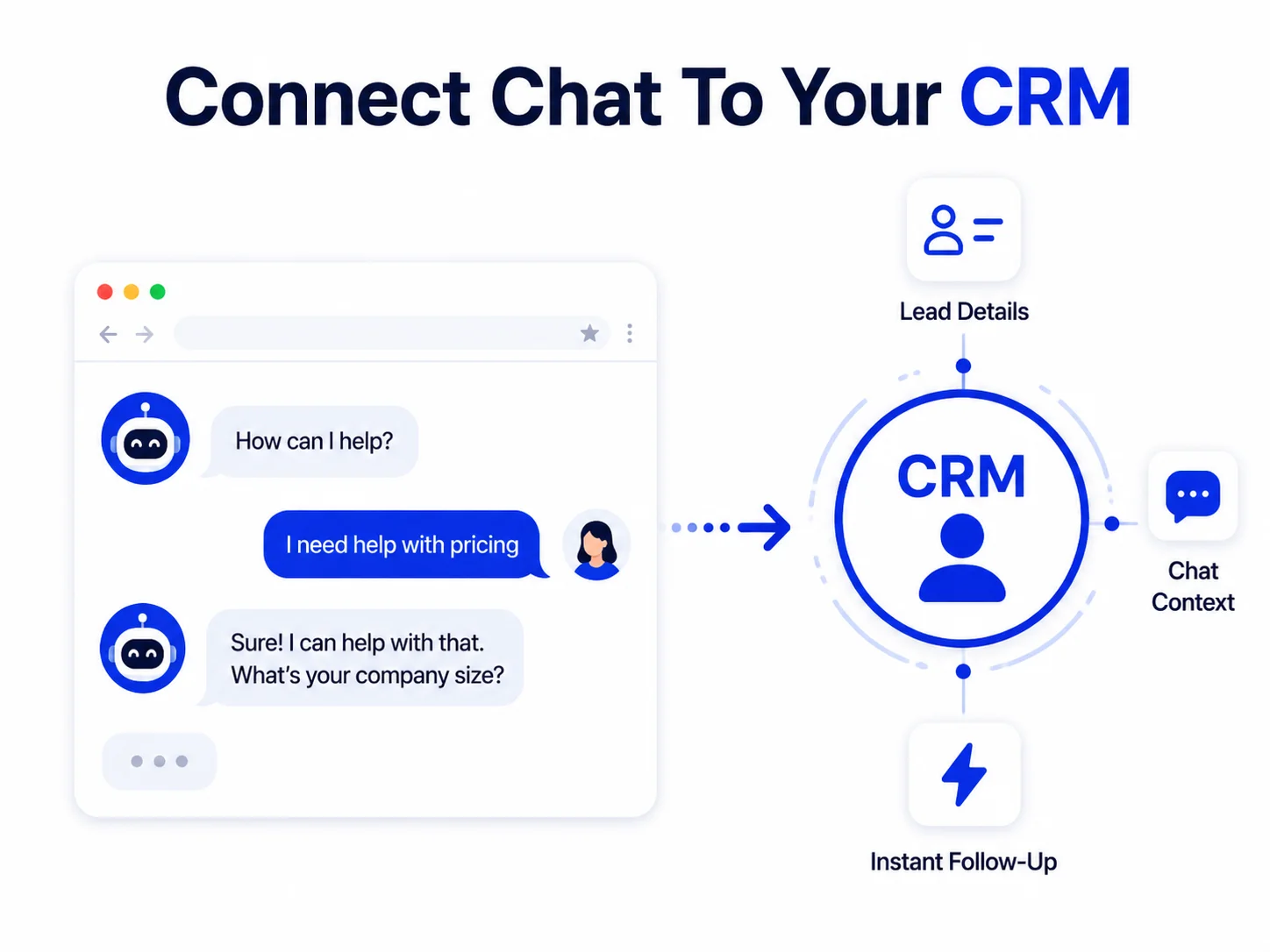
Step 4: Connect the Chatbot to Your CRM So Leads Don't Go Cold
A chatbot that captures a lead and leaves it sitting in a dashboard nobody checks is worse than no chatbot at all, because it creates a false sense of coverage.
Every qualified conversation should be pushed directly into your CRM, tagged with the context the chatbot gathered: what the visitor asked about, how they answered the qualifying questions, and how urgent their intent looked. Sales teams follow up faster and more effectively when they open a lead record that already tells them what the prospect cares about, instead of a blank name and email they have to start from scratch with.
If your chatbot can’t integrate with your CRM, or if the integration only passes along contact details and drops the conversation context, you’re solving half the problem.
Step 5 Chatbot Triggers That Boost Lead Capture
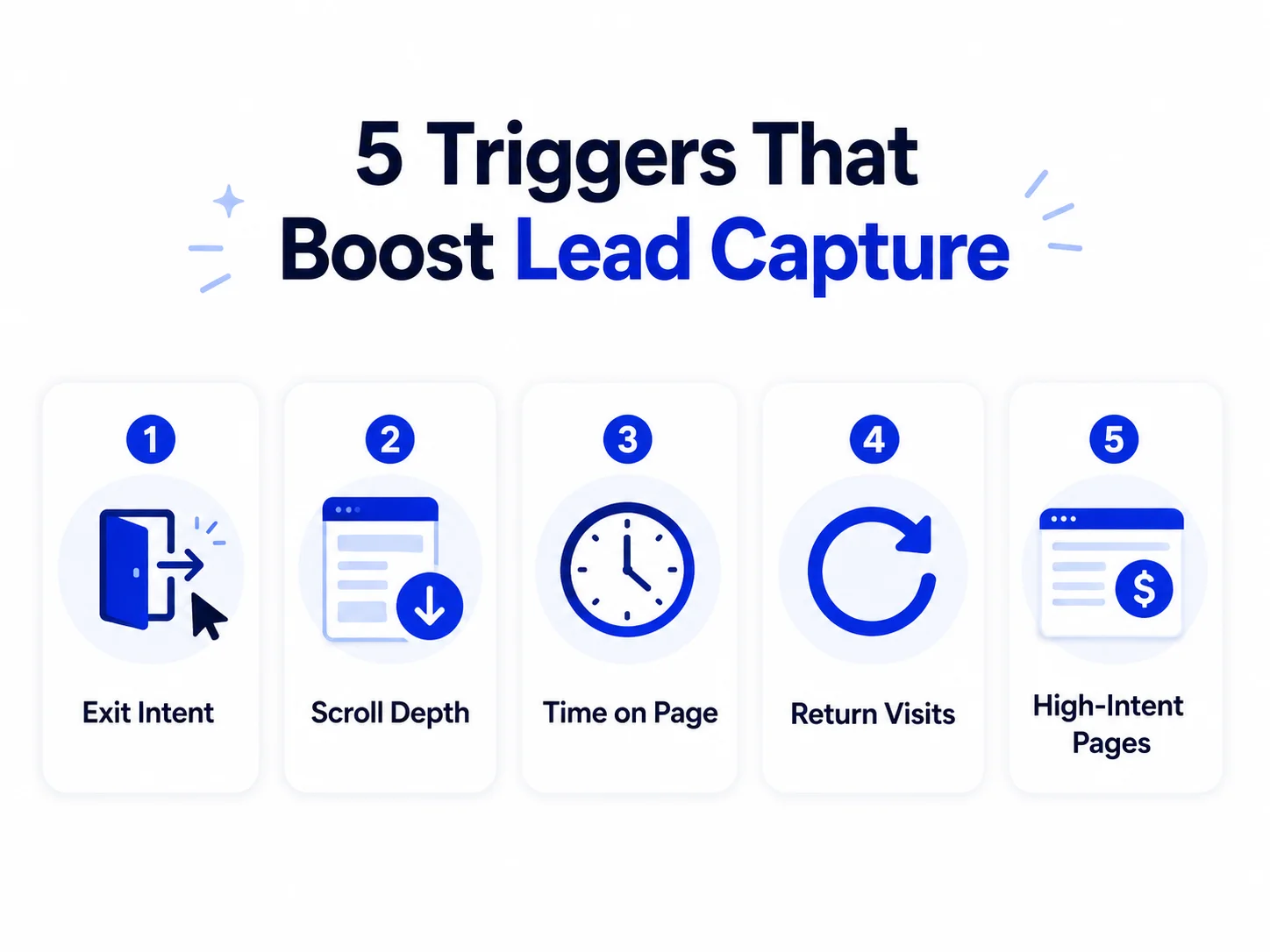
Where and when your chatbot appears matters as much as what it says. These triggers consistently outperform a static “chat with us” bubble sitting in the corner of every page:
Exit intent
The chatbot opens as a visitor's cursor moves toward closing the tab, offering a quick question before they leave.
Scroll depth
Triggers once a visitor has read most of a key page, like pricing or a service page, signaling real interest.
Time on page
A visitor spending unusually long on one page is likely stuck on a question, not just browsing.
Return visits
Someone coming back to the same page a second or third time is warmer than a first-time visitor and can be greeted differently.
High-intent page visits
Triggers specifically on pages like pricing, demo request, or case studies, where visitors are further along in deciding.
Using all five isn’t necessary. Most teams see the best results starting with exit intent and high-intent page triggers, then adding the others once they have data on how visitors actually behave.
Common Mistakes That Turn Chatbots Into Lead Killers
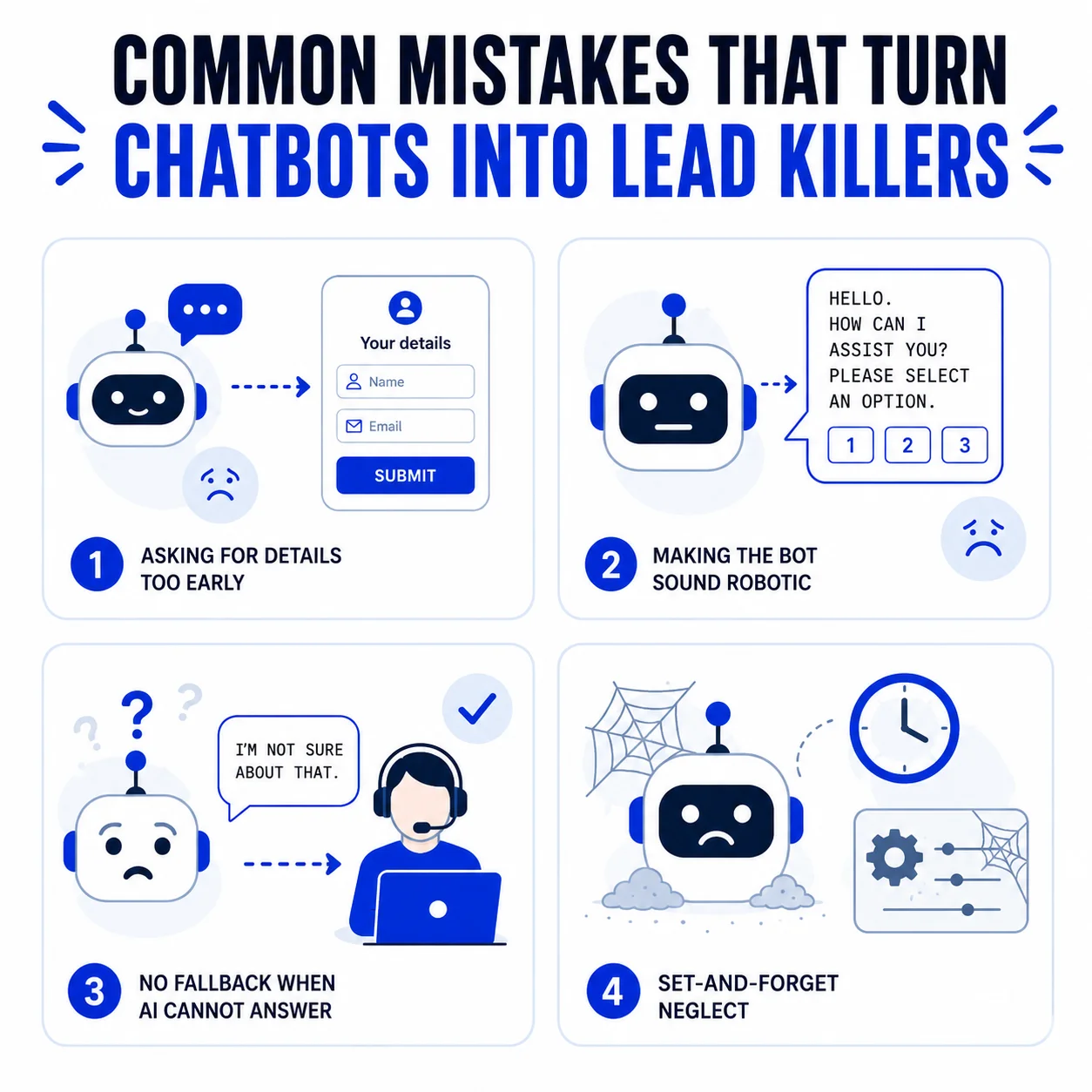
A few patterns show up again and again in chatbot projects that underdeliver:

Asking for contact information too early
Visitors give up personal details when they feel understood, not when they're asked first. Lead with a question about their problem, not a form field.
Making the bot sound like a bot
Overly formal, scripted responses signal "automated system" and visitors disengage. Natural, conversational language that mirrors how your sales team actually talks performs better.

No fallback for questions the AI can't answer
When a chatbot hits a question outside its scope and just repeats a generic response, visitors lose trust immediately. A good flow recognizes uncertainty and offers to connect the visitor with a human instead of guessing.

Treating the chatbot as "set and forget."
Conversion rates drift as visitor behavior changes. Chatbots that aren't reviewed and adjusted every few weeks slowly become less effective without anyone noticing why.
How to Measure Whether Your Chatbot Is Actually Converting
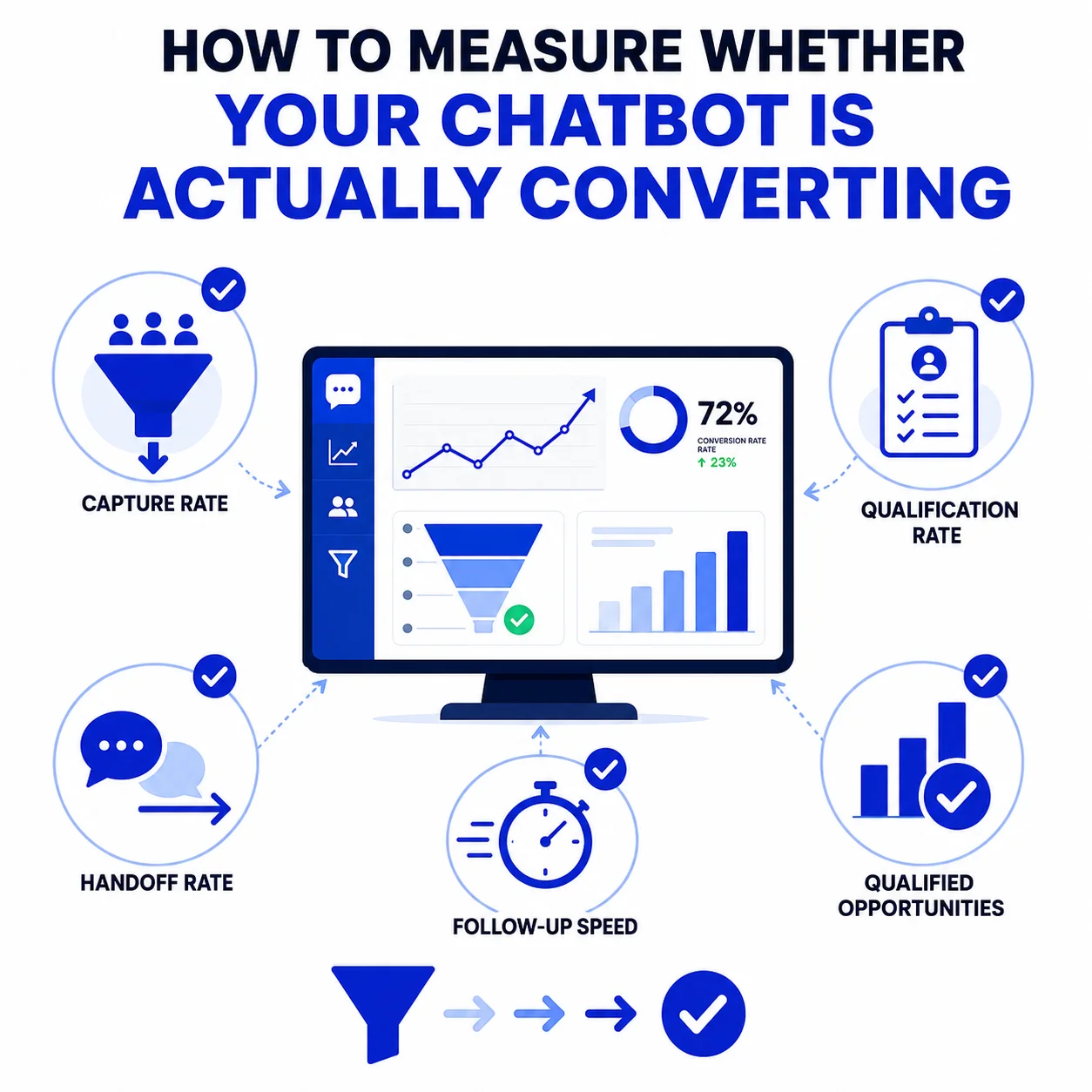
Traffic and conversation count are vanity metrics. The numbers that actually tell you whether your chatbot is working:
Capture rate
The percentage of chatbot conversations that end with a visitor providing contact information.
Qualification rate
Of the leads captured, how many meet your actual sales criteria versus how many are unqualified noise.
Handoff rate
How many qualified leads make it cleanly into your CRM with context intact, versus how many get lost in the handoff.
Time to follow-up
How quickly your sales team reaches out after the chatbot flags a qualified lead. This number alone often explains more variance in close rate than anything about the chatbot itself.
The real question is not “How many people used the chatbot?”. It is “How many qualified opportunities did it create and move forward?”. Engagement measures activity and conversion measures impact.
Should You Build This In-House or Work With a Partner?
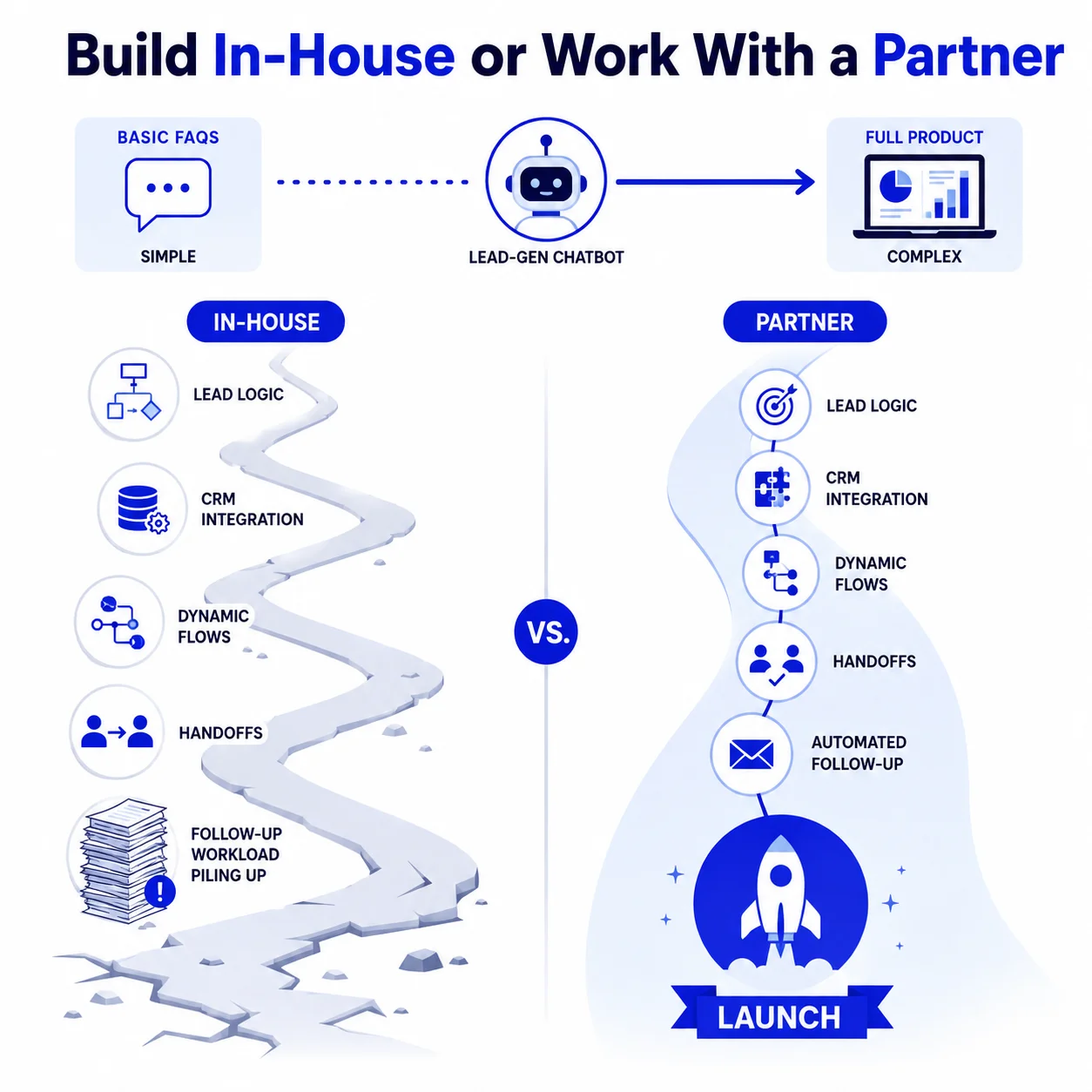
If your chatbot only needs to answer basic FAQs, a no-code platform may be enough to get started in a single afternoon.
- Lead qualification logic
- CRM integrations
- Dynamic conversation flows
- Automated handoffs
- Follow-up workflows
At that point, the chatbot becomes a full product rather than a simple website feature.
Many internal teams do not struggle because they lack capability. They struggle because the project becomes a second full-time responsibility layered on top of their existing work. This is where Nyx Wolves help. We design and deploy production-ready conversational AI systems that connect with real business workflows, not just chat interfaces.
For one client, we built and deployed a bilingual conversational solution in two weeks, reducing a data lookup process from one to three days to just one to two seconds. The same principle applies to lead-generation chatbots. The AI model is rarely the real bottleneck.
The qualification logic.
The system integration.
The CRM handoff.
The follow-through.
That is the difference between a chatbot that simply responds and one that consistently converts.
Which Businesses Benefit Most From a Lead-Generation Chatbot?
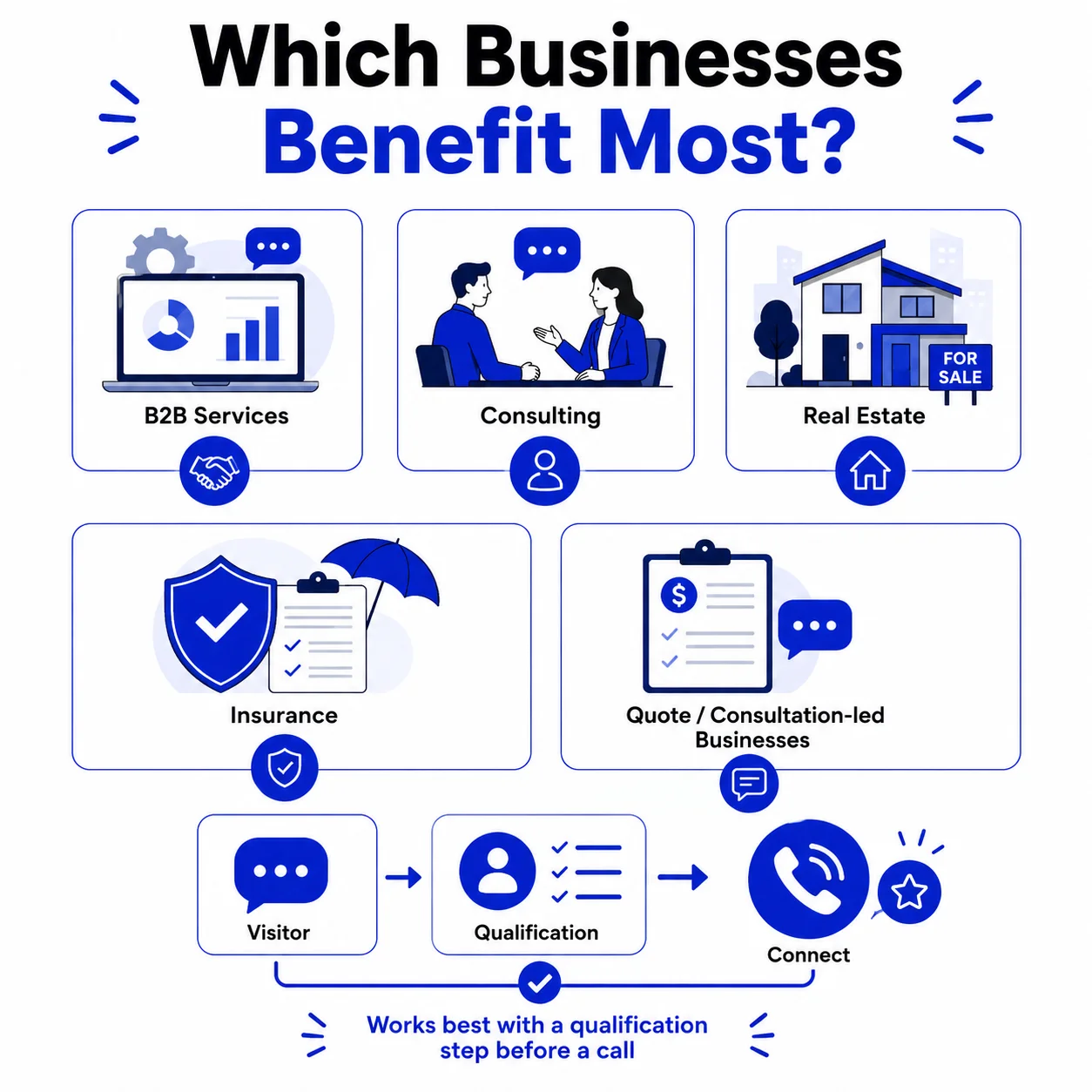
Chatbots pay off fastest for businesses where the sales cycle involves some back and forth before someone converts, think B2B services, consulting, real estate, insurance, anything with a quote or consultation involved rather than a simple add to cart. If you’re selling a twenty dollar product on an ecommerce store, a chatbot probably won’t move the needle much.
The businesses that see the best results tend to have one thing in common: a sales team that’s already good at qualifying leads on a call. The chatbot just does that same job earlier, before the visitor ever picks up the phone.
Where Should You Place a Chatbot for the Highest Conversion?
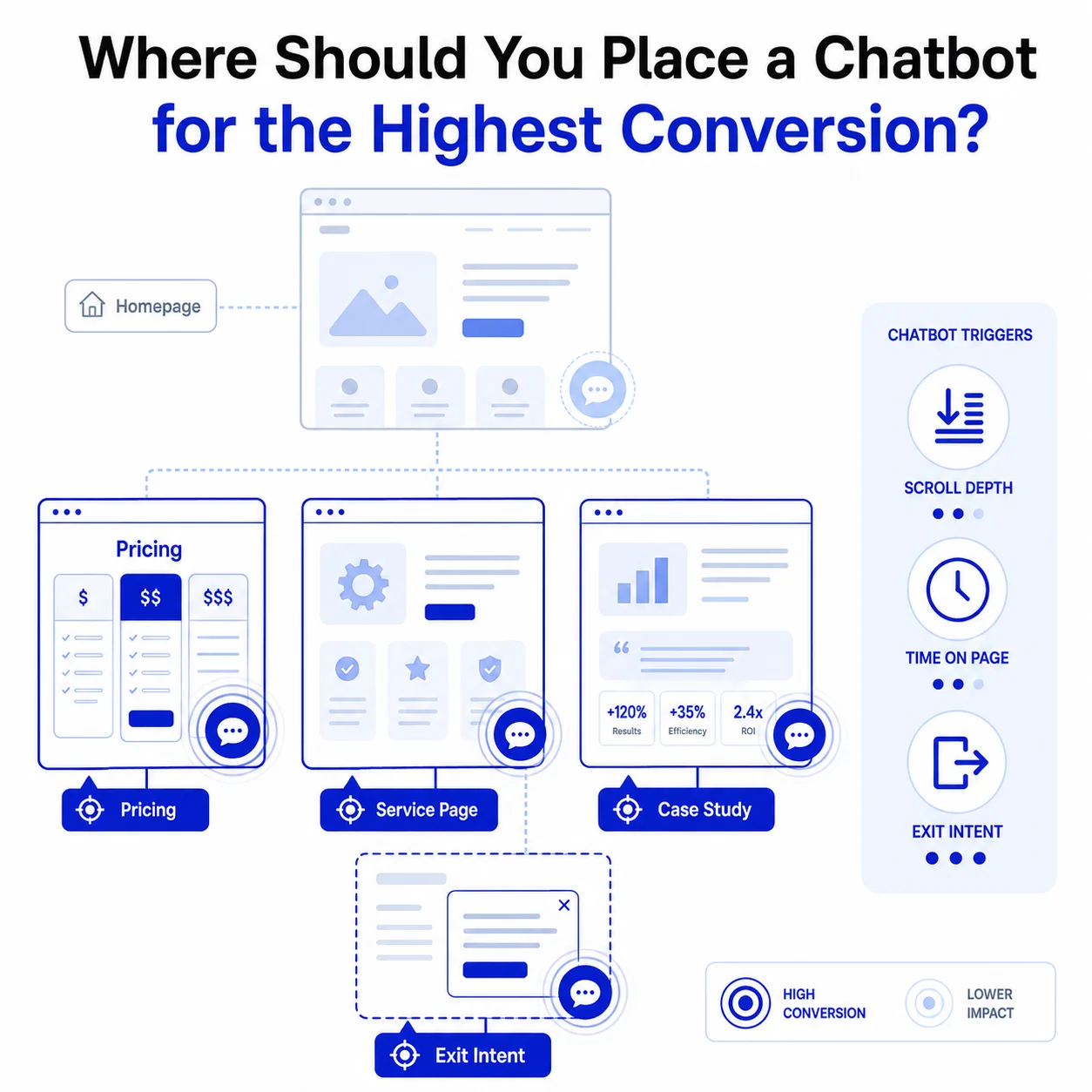
Placement matters more than most people think. A chatbot sitting on your homepage answering generic questions rarely converts well, since homepage visitors are usually still figuring out what your business even does.
| Page | Visitor Intent | Best Trigger |
|---|---|---|
| Homepage | Low, still exploring | Usually skip, or delay significantly |
| Pricing page | High, comparing options | Scroll depth or time on page |
| Service or product page | Medium to high | Scroll depth |
| Case study page | High, validating decision | Time on page |
| Any page, on exit | Was engaged, now leaving | Exit intent |
Timing matters as much as placement. A chatbot that pops up the second someone lands on a page feels pushy, while one that waits until someone’s scrolled through most of the content, or is about to leave, catches people at a moment where they’re either genuinely engaged or about to walk away for good.
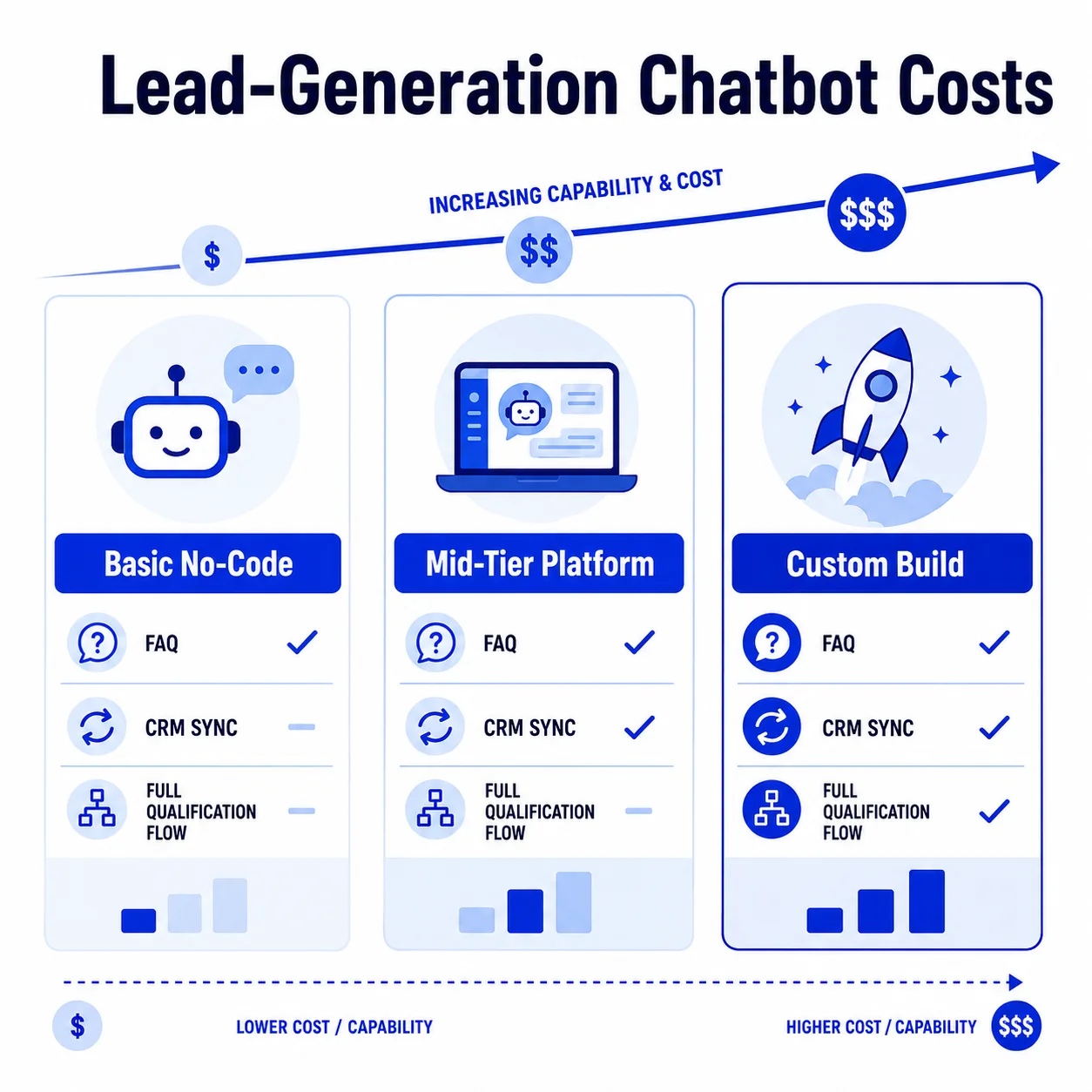
This varies a lot depending on what you’re actually building. A basic no-code chatbot that answers FAQs can run anywhere from free to a few hundred dollars a month, while a proper lead-qualifying chatbot with custom conversation flows and real CRM integration is a bigger investment, since you’re paying for the strategy behind it, not just the widget.
| Chatbot Type | What It Includes | Typical Cost |
|---|---|---|
| Basic no-code widget | FAQ answers, generic scripts | Free to a few hundred dollars a month |
| Mid-tier platform bot | Some branching logic, basic CRM sync | A few hundred to a couple thousand a month |
| Custom lead-qualifying build | Tailored qualification flows, full CRM integration, ongoing tuning | Project-based, varies by scope |
Businesses find it more useful to think in terms of cost per qualified lead rather than a flat build price. A chatbot that costs more upfront but consistently sends your sales team warm, qualified leads usually pays for itself faster than a cheap tool that generates a lot of noise and very few real conversations.
The ROI You Can Realistically Expect
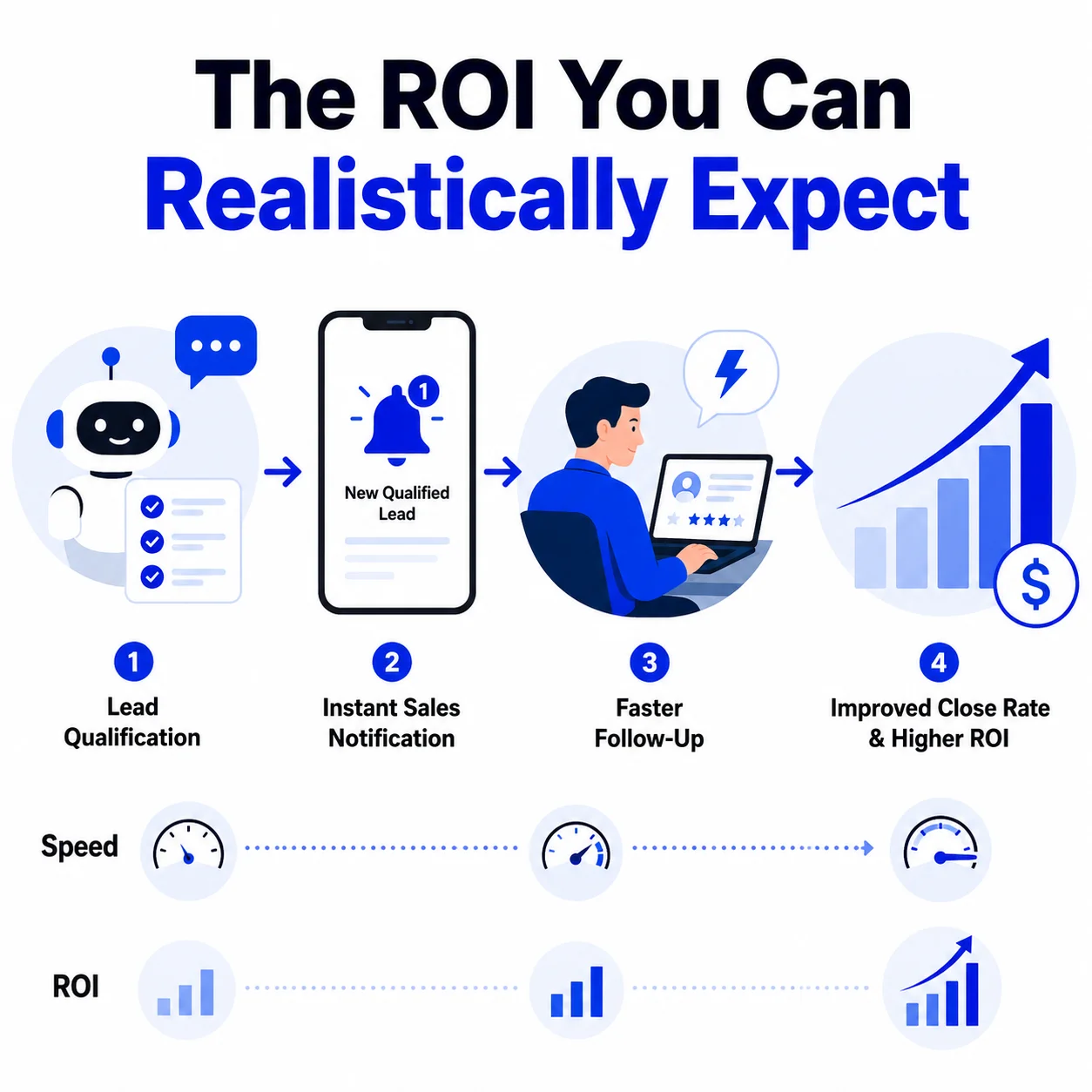
This depends heavily on your traffic, your sales process, and how well the chatbot is actually built, so anyone giving you one universal number without knowing those things is guessing. That said, businesses that build qualification logic properly tend to see their chatbot become a meaningful lead source within a couple of months, mostly because the flows get refined based on real conversation data.
The clearest way to think about ROI here isn’t traffic or conversation volume, it’s follow up speed. A chatbot that qualifies a lead and gets it in front of your sales team within minutes, instead of hours or days, often has more impact on close rate than almost anything else you could optimize on your site.
What Happens During a Nyx Wolves Chatbot Conversion Audit?
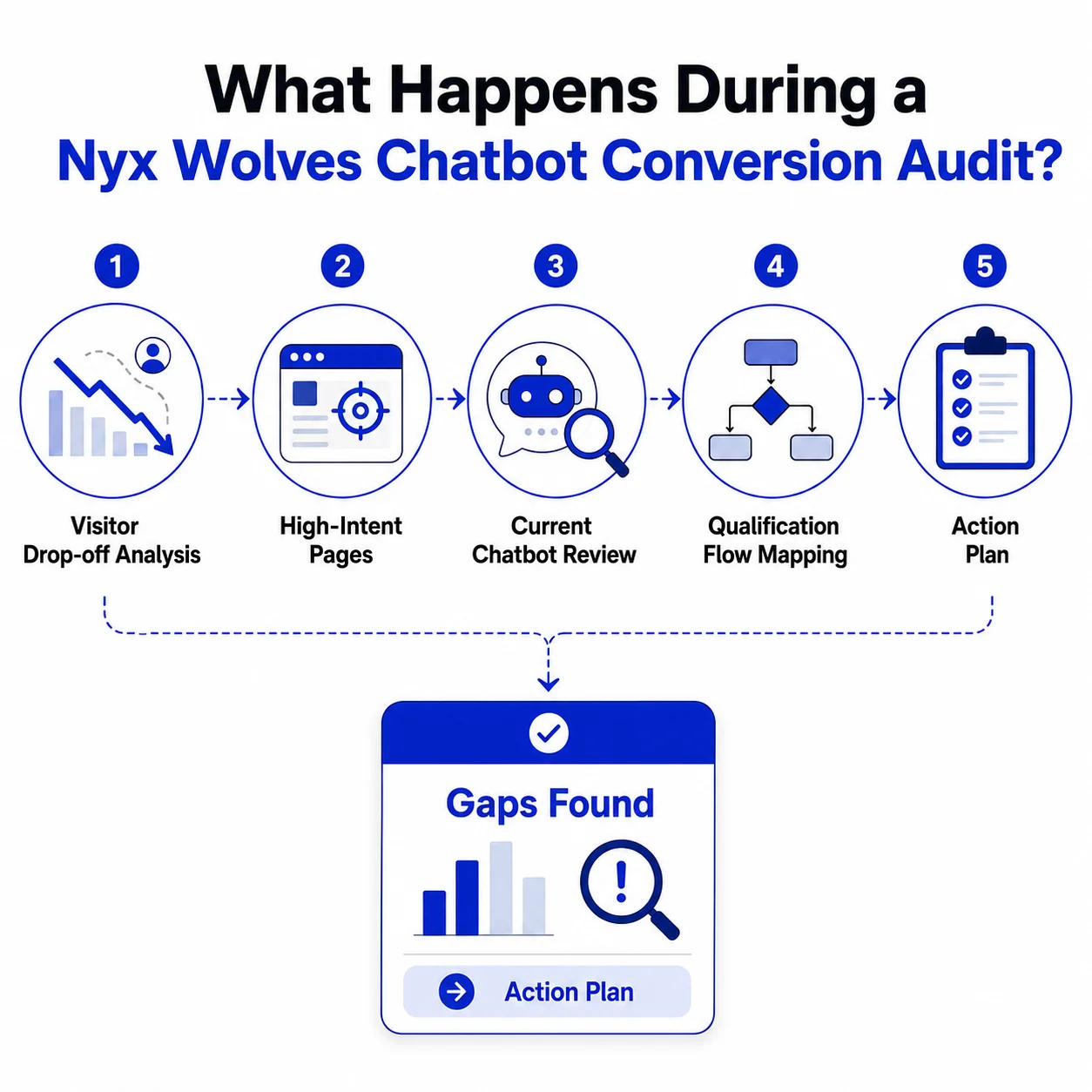
We start by looking at where your website visitors are dropping off, which pages have the highest intent but the lowest conversion, and whether your current chatbot, if you have one, is actually asking the right questions at the right time. From there, we map out what a proper qualification flow would look like for your specific sales process, not a generic template.
You walk away with a clear picture of where the biggest gaps are and what it would take to fix them, whether that’s with us or on your own. No pressure, no sales pitch buried in the audit, just an honest look at what’s working and what isn’t.
Turn Visitors Into Leads
FAQs: AI Chatbots and Lead Generation
Yes, but only when they’re designed around qualification and handoff, not just conversation. A chatbot that only answers questions performs similarly to a well-written FAQ page. One built to qualify and route leads can meaningfully lift conversion rates, particularly on high-intent pages like pricing.
A basic version can be running in a few weeks. The conversation flows, qualification logic, and CRM integration are what take the most time, not the AI model itself.
A support chatbot is optimized to resolve questions and end the conversation. A lead-gen chatbot is optimized to identify intent, ask qualifying questions, and move the visitor toward a specific next step, whether that’s a call, a demo, or a form submission.
No. It filters and qualifies so your sales team spends time on conversations worth having, and follows up faster because the context is already there.