Introduction
If your team in Australia still spends hours copying data from PDFs, scanned forms, emails, and attachments into spreadsheets or ERP screens, you are not alone. Every company says they want automation, but most of the real pain still sits in documents. Invoices arrive as PDFs. Contracts come as long files with inconsistent clauses. Claim forms show up as scans. KYC packs arrive by email with a mix of IDs, statements, and handwritten pages.
That is exactly where Intelligent Document Processing, also called IDP or Document AI, earns its place.
The simplest way to think about IDP is this: it takes messy documents and turns them into usable structured data, with evidence, confidence scores, and a clear review trail. It does not just read text like old OCR. It understands what the document is, where the fields are, what the values mean, and how to route the result into your workflow.
In this guide, you will learn what Intelligent Document Processing is, how Document AI works in real operations, which use cases tend to deliver ROI fastest in Australia, and how to deploy it without breaking security, compliance, or your existing ERP stack.
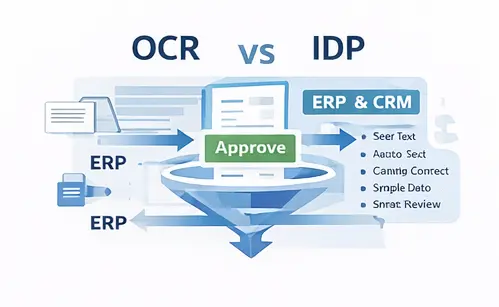
What is Intelligent Document Processing
Intelligent Document Processing is an automation approach that uses machine learning and language models to classify documents, extract key fields, validate them against rules or reference systems, and then push the results into business workflows. Traditional OCR converts an image into text. That helps, but it still leaves you with a wall of text and a human has to find the right values and retype them. Document AI goes further by adding understanding and structure.
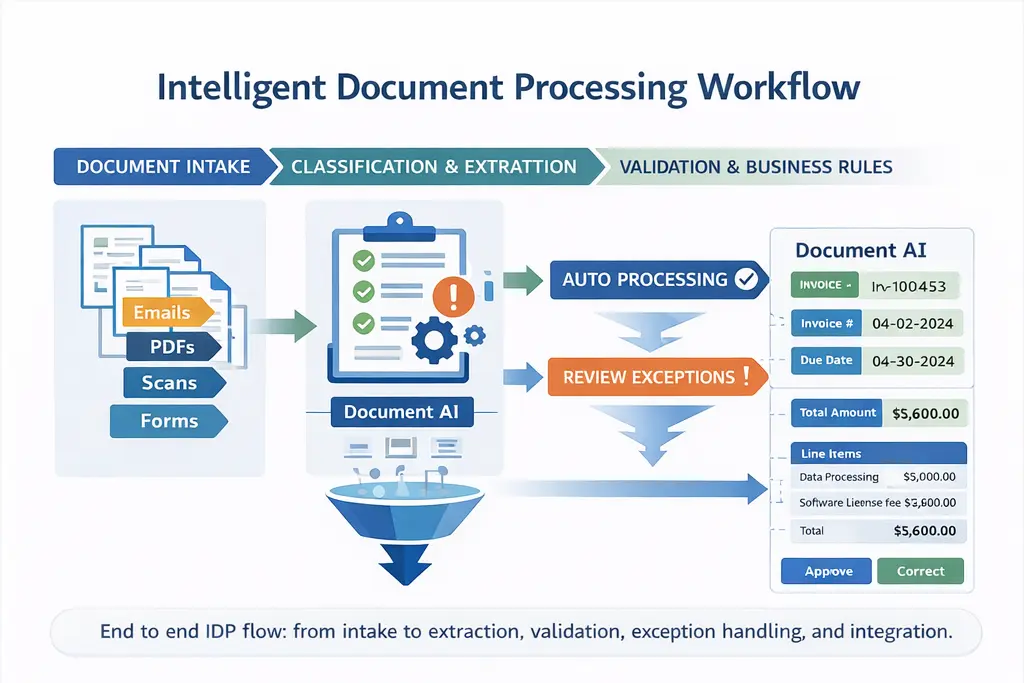
A modern IDP pipeline typically delivers
Document classification, for example invoice, purchase order, bank statement, claim form, ID card, contract.
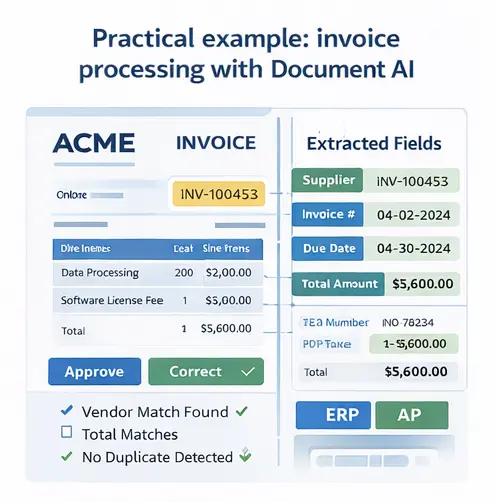
Field extraction, for example invoice number, supplier name, total amount, tax, line items, due date.
Data validation, for example totals match line items, vendor exists in ERP, tax format is valid.
Workflow routing, for example send exceptions to review, auto approve low risk invoices, escalate anomalies.
Auditability, for example captured field value plus a snippet of the source region and confidence score
This is why IDP is a core building block for automation. It is not a feature. It is an engine that plugs into your finance, operations, compliance, and customer workflows.
Get a free Document AI ROI estimate
Share your monthly document volumes and current processing time, and we will estimate potential time saved, cost reduction, and payback period, plus the best first workflow to automate.
Why Document AI is suddenly everywhere
Three practical shifts are driving adoption in Australia and globally.
First, document volume is exploding. Every new sales channel, every new regulation, every new vendor onboarding process adds more paperwork.
Second, speed expectations have changed. Customers and partners expect near real time onboarding, faster approvals, quicker claim settlement, and shorter payment cycles.
Third, the technology finally matured. Modern models can handle messy layouts, variable formats, multiple languages, and handwritten sections far better than older OCR pipelines.
When you combine these three, the business case becomes obvious: either you hire more people to manually process documents, or you automate the document understanding layer.
The core components of an IDP system
A strong Document AI stack usually includes these building blocks.
1. Ingestion
Documents arrive from email, portals, SFTP, shared drives, scanners, mobile uploads, WhatsApp style channels, and internal systems. Ingestion should capture metadata such as sender, timestamp, channel, and transaction context.
2. Pre processing
This step improves extractability. It can include de skewing, de noise, page splitting, rotation fixes, and image quality normalization.
3. OCR and text detection
OCR converts page images into text and coordinates. Even if your source is a text PDF, many PDFs contain embedded images and need OCR anyway.
4. Document classification
The system identifies what the document is and which template or extraction strategy to apply. This is critical because the same field label can appear in different places across suppliers and formats.
5. Key value extraction and line item extraction
For invoices and similar documents, line items matter. A good system extracts header fields, tables, and nested structures. This is where many tools fail, and where modern Document AI delivers clear benefits.
6. Validation and enrichment
Extracted data is checked against rules and enriched with reference data. For example, the vendor is matched to ERP master data, currency is normalized, tax IDs are validated, and contract clause references are mapped.
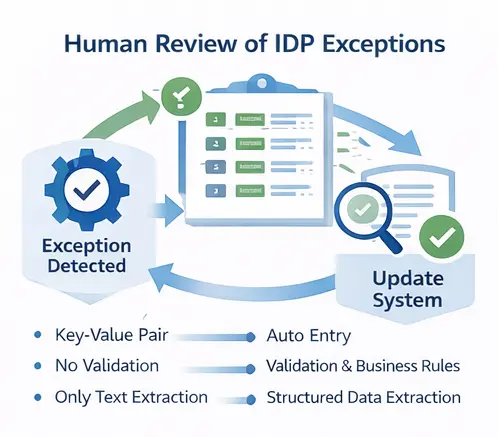
7. Human in the loop review
You need a review console for exceptions, low confidence fields, and policy based approvals. The goal is not zero human work, the goal is to move humans to exception handling and quality control.
8. Export and workflow integration
The structured output should feed your systems like SAP, Oracle NetSuite, Microsoft Dynamics 365, Business Central, Workday, Odoo. The output can be JSON, XML, CSV, or direct API writes, depending on your architecture.
9. Monitoring and continuous improvement
You track extraction accuracy, review rates, cycle time, and error types. Then you retrain or adjust rules to reduce exceptions over time.
Best use cases for Intelligent Document Processing in Australia
The strongest ROI usually comes from one or more of these use cases.
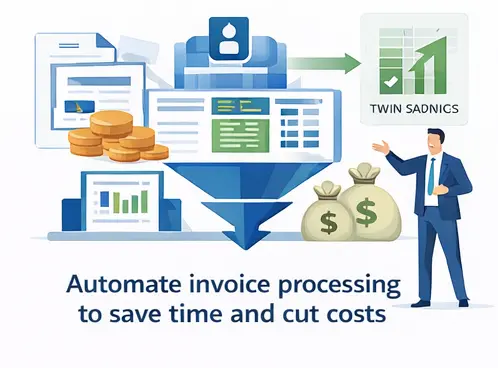
If you process supplier invoices, you already know the pain: different layouts, missing fields, mismatched totals, and manual approvals. IDP reduces manual entry, accelerates approvals, and supports straight through processing for clean invoices.
Common extracted fields: supplier name, invoice number, invoice date, due date, tax, totals, line items, PO numbers, bank details.
Banks and fintech teams in Australia deal with a mixed bundle of documents. Document AI helps classify and extract identity details, addresses, business registration data, and proof of funds, then route exceptions to compliance teams.
Common documents: IDs, passports, bank statements, incorporation documents, proof of address.
Claims operations often suffer from a high mix of form types, attachments, and medical or repair documents. IDP can extract claim details, policy numbers, incident dates, and supporting evidence faster.
Common documents: claim forms, police reports, medical reports, repair estimates, photos plus text.
Legal teams typically handle contracts that vary by supplier and jurisdiction. Document AI can extract key terms such as effective date, renewal clauses, termination windows, payment terms, SLAs, and indemnity language, then support search and review.
If you work with shipments, trade documents, or customs paperwork, you know how many document types exist. IDP helps extract key logistics fields and reduce delays caused by missing or inconsistent data.
Common documents: bill of lading, proof of delivery, packing lists, commercial invoices, certificates.
HR teams spend time collecting and verifying forms, IDs, certificates, and signed policies. Document AI can extract employee details, validate completeness, and create clean employee records.
Common documents: offer letters, IDs, certificates, signed policy acknowledgements.
Security and compliance considerations in Australia
Security and compliance is where many teams hesitate, and it is reasonable. Documents often contain personal data, financial data, health information, or sensitive legal terms.
At a minimum, your Document AI stack should support:
• Encryption in transit and at rest
• Role based access control and least privilege
• Audit logs for all access and changes
• Data retention policies and secure deletion
• Tenant isolation if multi client
• Private networking options if required
• Redaction for sensitive fields when needed
A good operational rule is simple: every extracted field should be traceable to a source region of the document, and every review action should be logged. That is what makes Document AI defensible in audits and compliance reviews.
What accuracy should you expect
Accuracy depends on document quality, format diversity, and language, especially for the Primary Language. But it is still useful to frame expectations.
You typically see:
• High accuracy on common invoices after tuning and vendor normalization
• Moderate accuracy on messy scans, handwritten forms, and mixed attachments
• Big gains when you add validation rules and reference data enrichment
• Best results when you run a human in the loop process for exceptions
The honest goal is not perfection on day one. The goal is to reduce human touch rate and shorten cycle time, while keeping quality under control.
A practical implementation plan for teams in Australia
Here is a realistic approach that avoids over engineering.
Step 1. Pick one high volume workflow
Invoices, onboarding packs, or claims intake are common starting points. Choose based on volume and pain.
Step 2. Define the field list and acceptance criteria
Do not start with everything. Start with the fields that drive decisions and downstream processes.
Step 3. Build a document sample set
Collect 200 to 500 documents across real formats. Include edge cases. Include low quality scans. Include multiple suppliers.
Step 4. Implement extraction plus validation
Extraction without validation still creates manual cleanup. Add rules and reference checks from the start.
Step 5. Add a review console and exception routing
Design review queues by reason, for example low confidence, rule mismatch, missing pages.
Step 6. Integrate with your systems
Push results into SAP, Oracle NetSuite, Microsoft Dynamics 365, Business Central, Workday, Odoo. Keep integration simple initially, then expand.
Step 7. Monitor and improve
Track accuracy, exception rate, review time, and business outcomes like payment cycle time.
How Document AI makes document workflows measurable and reliable
Most teams do not have a document problem. They have a workflow problem disguised as paperwork. An invoice arrives as a PDF, a contract shows up in an email thread, a claim form is scanned by a branch office, and suddenly a person becomes the integration layer between documents and systems. They open files, search for the right fields, retype values into ERP and CRM screens, and follow up when a page is missing or a number does not match. It is slow, inconsistent, and hard to measure.
Intelligent Document Processing changes the game by treating documents as structured inputs to a process, not static files to be read. Modern Document AI can classify documents automatically, extract key fields with confidence scoring, validate values against business rules and master data, and route only exceptions to human review. The outcome is not just faster processing. It is a predictable, auditable pipeline where every decision is traceable, every queue is visible, and data moves into downstream systems cleanly without constant manual intervention.
Buyer checklist for choosing an IDP platform
Ask vendors or internal teams:
- Can it extract line items and tables reliably, not just header fields
- Can it handle variable layouts without heavy template maintenance
- Do you get evidence regions and confidence scores per field
- Is there a solid review console with role based access
- Can it integrate cleanly with ERP CRM and workflow tools
- Can it support Primary Language and mixed language documents
- What monitoring is included for drift and quality over time
- What security controls exist for sensitive documents
- Can you deploy in your preferred hosting model if required
- How quickly can you go live on one workflow
Frequently Asked Questions
OCR converts images to text. Document AI classifies documents, extracts structured fields, validates them, and routes results into workflows with review and audit trails.
Yes, as long as image quality is reasonable. Pre-processing and human review for exceptions improve outcomes.
A focused pilot for one workflow can be done quickly if you already have document samples and field definitions. Full rollout depends on integrations and governance.
It reduces repetitive manual entry work and shifts effort to exception handling and decision making. Most teams redeploy staff to higher value tasks.
Start with high volume, high pain, and clear structured outputs. Invoices and onboarding packs are common.
Book a 20 minute IDP walkthrough
If you are planning Document AI or Intelligent Document Processing in Australia, the best next step is to choose one workflow, define your field list, collect a real sample set, and run a short pilot with measurable outcomes.
Partner with Nyx Wolves
As an experienced provider of AI and IoT software solutions, Nyx Wolves is committed to driving your digital transformation journey.
Your benefits:
- Client-oriented
- Independent
- Competent
- Results-driven
- Problem-solving
- Transparent
What happens next?
We Schedule a call at your convenience
We do a discovery and consulting meting
We prepare a proposal
Schedule a Free Consultation
See Our Case Studies

AI-powered job matching platform
PerpectV AI-Powered Job Matching Platform for Leading South African

No-code web based AR Platform
Revolutionizing Online Product Showcase with No-Code WebAR Xarwin is


Case Study – Ecostay
Srivalli Ecostays offers a unique hospitality experience, allowing guests