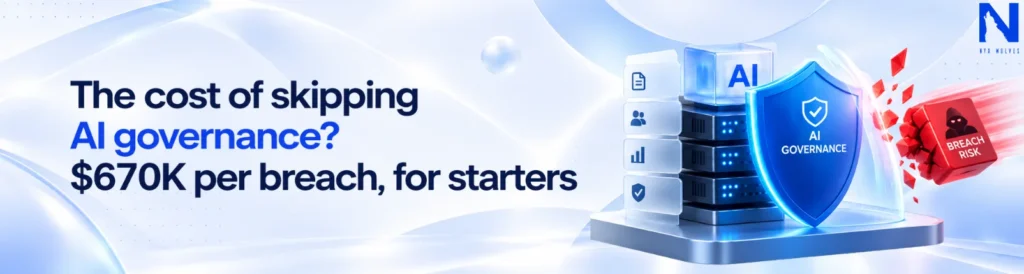
Everyone’s treating AI governance like a corrective tax. It could be the cheapest insurance you never pay for.
Learn how AI governance reduces breach risks, controls shadow AI, strengthens AI agents, and helps enterprises scale successful pilots safely.
Cloud and DevOps Management for HealthTech Compliance
Introduction If you are building a HealthTech product, compliance is not a phase you complete and forget. It is a state your infrastructure must maintain every day, across every deployment, access request, configuration change, backup, integration, and log entry. Many HealthTech companies discover this only when a hospital procurement team requests security documentation, an investor flags control gaps during due diligence, or a security incident exposes weaknesses the business was not prepared to explain. This guide covers what compliant cloud and DevOps infrastructure requires, where HealthTech teams commonly create risk, what implementation can cost, and how to prepare before your next customer, investor, or compliance review. View All Solutions The compliance debt nobody budgets for The HealthTech team ships fast, wins early customers, and treats compliance as something to “handle later.” Later usually arrives in one of three ways: A hospital system’s procurement team asks for a SOC 2 report before signing An investor’s technical due diligence flags gaps in your HIPAA controls A breach happens, and now you’re dealing with notification laws instead of a checklist Retrofitting compliance into live infrastructure costs 3 to 5x more than building it in from the start, and it usually means downtime you can’t afford during a fundraise or a big customer rollout. Does HIPAA actually apply to your HealthTech product? Handling health-related information does not automatically mean every company is subject to HIPAA. HIPAA primarily applies to covered entities and their business associates. Covered entities generally include certain healthcare providers, health plans, and healthcare clearinghouses. A technology company may become a business associate when it creates, receives, maintains, or transmits protected health information on behalf of one of those organisations. The product model matters. Product model Typical compliance consideration Software provided to hospitals, clinics, or insurers The company may be acting as a business associate and may need a BAA, risk analysis, access controls, audit controls, and incident procedures Direct-to-consumer wellness or health application HIPAA may not apply, but FTC rules, state privacy laws, and breach-notification obligations may still be relevant Product serving people in the European Union GDPR may apply, particularly when the company offers services to people in the EU or monitors their behaviour Platform handling both clinical and consumer data Different data sets may fall under different legal, contractual, and security requirements Before building a compliance roadmap, the company needs to understand who its customers are, whose data it processes, why the data is processed, and which role the company plays. A HealthTech business may act as a business associate in one customer relationship, a data processor in another, and a direct-to-consumer service provider elsewhere. Choosing controls before answering these questions can create unnecessary costs or leave serious gaps. Which compliance framework applies to you? Not every HealthTech company needs every framework. Framework Commonly relevant when Primary focus HIPAA The company is a covered entity or business associate handling protected health information in the US Privacy, security safeguards, permitted data use, and breach notification HITRUST Customers require independently validated assurance against a structured healthcare security framework Risk-based controls mapped to HIPAA, NIST, ISO, and other standards GDPR The company operates in the EU, targets people in the EU, or monitors their behaviour Lawful processing, data rights, privacy, and international transfers SOC 2 Enterprise customers are evaluating the company as a technology vendor Security, availability, confidentiality, processing integrity, and privacy controls FTC Health Breach Notification Rule A consumer health application or connected product operates outside HIPAA Notification following breaches involving identifiable health information HITRUST is a certifiable framework that maps to HIPAA and other standards, but it is not an official HIPAA certification. SOC 2 is an independent assurance report, with Type I assessing control design and Type II assessing how effectively controls operate over time. Most HealthTech companies establish HIPAA-ready controls first, pursue SOC 2 as enterprise sales grow, and adopt HITRUST when required by a customer or contract. A BAA does not make your architecture compliant Signing a Business Associate Agreement with a cloud or technology provider does not make the application running on that platform compliant. A BAA defines contractual responsibilities for handling protected health information. It does not automatically configure identity management, encryption, network boundaries, logging, backup policies, application permissions, retention rules, or incident-response procedures. The cloud provider secures parts of the underlying platform. Your company remains responsible for how that platform is configured and how protected health information moves through the application. A BAA makes a compliant architecture possible. It does not create one automatically. You cannot secure PHI you have not mapped Before adding security tools, map how patient data moves through your systems. Track where it enters, is processed, stored, shared, logged, backed up, and deleted. Include secondary locations such as support tools, analytics platforms, development environments, AI systems, and backups. This map supports access control, vendor reviews, retention policies, incident response, and audit preparation. Preparing for SOC 2, hospital procurement, or investor due diligence? Request a scoped HealthTech infrastructure estimate from Nyx Wolves. Contact Us Where compliance breaks in a typical HealthTech stack The same infrastructure weaknesses appear repeatedly as HealthTech companies grow. Risk area What usually goes wrong What good control looks like Storage Buckets, snapshots, file shares, or backups have broader access than intended Private-by-default storage, encryption, continuous policy checks, and access reviews Vendor scope A service is introduced without confirming BAA coverage, retention, subprocessors, or data location Formal vendor review before procurement and integration IAM Temporary broad permissions remain active long after the original sprint Role-based access, least privilege, MFA, documented approval, and periodic review Logging Patient IDs, email addresses, tokens, or medical information appear in logs Redaction, encryption, limited access, controlled retention, and export monitoring Deployments Production changes are pushed manually without a traceable approval path Controlled CI/CD pipelines with reviews, scans, approvals, and evidence Audit trail Access grants, configuration changes, or security decisions cannot be reconstructed later Automatic evidence collection linked to identities, tickets, and timestamps Not sure where your current stack is exposed? Request a
Computer Vision Quality Control for Manufacturing: The Camera Catches What the Clipboard Misses
Introduction Inspectors get tired. Lighting changes shift by shift. A defect that’s obvious at 8am gets missed at 2am when everyone’s running on their fourth coffee. Computer vision quality control in manufacturing exists to fix exactly this. It’s why so many plants are quietly moving cameras into the exact spot where a human used to stand. It’s already running on production lines today, catching: Hairline cracks Misaligned labels Micro-scratches Torque and fastener issues too small for the eye to reliably catch This content discusses what actually happens when inspection fails, what fixes it, and how to tell if your line is close to that same exposure right now. View All Solutions The Defect That Cost a Plant $400K (And Why the Camera Caught It, Not the Inspector) A batch of parts left the production line with a hairline stress fracture that inspectors could not see under standard lighting. What that actually costs, once traced back: The recall itself Engineering hours spent finding root cause Replacement stock A client relationship damaged after years of trust Add it up, and a single incident like this can land well into six figures, sometimes past $400K, depending on how far downstream the part traveled before anyone caught it. The frustrating part is, this exact defect type is one computer vision systems catch reliably. A camera trained on the right dataset doesn’t need good lighting luck or a rested inspector. It just needs to see the part clearly and compare it against what “good” looks like. That’s the entire pitch for computer vision quality control in manufacturing. It catches the thing that’s easy to miss and expensive to have missed. Why Your Inspection Line Is the Real Bottleneck, Not Your Output Plants blame slow output on machines, changeovers, or supply chain gaps. Rarely do they look at inspection, even though it’s often the actual ceiling on line speed. The problem with manual inspection is that it doesn’t scale linearly. Add more volume → inspection quality drops, or the line slows down A person can only look at so many parts per minute before something gets missed Pushing inspectors to go faster doesn’t remove risk, it just moves it downstream What changes with computer vision A camera system can inspect hundreds of units a minute without a dip in accuracy The line can run at the speed the equipment is actually capable of, instead of throttled to human inspection capacity For a lot of plants, this alone is the business case, before defect reduction even enters the conversation. 5 Signs Your Line Is Ready for Computer Vision QC Not every line needs this yet. Here’s when it usually makes sense to look seriously: Inconsistent defect rates between shifts Usually means inspection quality is the variable, not the product A recall or near-miss in the last two years That traced back to something a human inspector should have caught Inspection is the bottleneck The line could run faster if quality checks weren’t the limiting step Customer complaints about defects That should have been visually obvious before shipping Scaling production without the headcount Or appetite to scale manual inspection at the same rate Two or more of these apply? Worth a real conversation about what a pilot would look like on your line. Assess Your Inspection Line How Computer Vision Quality Control Works, Step by Step 1. Capture A camera photographs every product as it moves through the inspection point. 2. Clean up The image gets processed to remove glare, shadows, and background noise; anything that could confuse the system. 3. Compare The AI checks the product against what a correct part should look like, flagging: Cracks or scratches Missing components Incorrect labels Alignment issues Dimension changes 4. Decide Based on that comparison, the product is: Passed through Flagged for human review Automatically rejected or sent for rework 5. Log Every result gets stored with the image, timestamp, defect type, and production details, giving the quality team a searchable record instead of handwritten logs or someone’s memory. What Data Is Needed to Train a Defect-Detection Model? A vision model needs examples of both good products and defective ones. Good images teach the system what normal looks like. Defective images help it understand the difference between a harmless variation and a real quality problem. The dataset should include different shifts, product variants, camera angles, materials, finishes, and lighting conditions. A model trained only on perfect daytime images may struggle when the night shift starts or when a reflective component enters the line. Rare defects are usually the hardest part. If you only have a few examples, the team may need to recreate the defect, use synthetic data, or begin with broader anomaly detection. The goal is not to collect millions of images. It is to collect the right images that represent what the camera will actually see on the production floor. What Happens After a Defect Is Detected? Finding a defect is only useful when the system knows what to do next. For a minor issue, it may simply alert an operator and send the product to a review station. For a clear failure, it can trigger an automated rejection mechanism without stopping the entire line. The same detection can also create a rework ticket, update the quality-management system, notify a supervisor, or record the batch for traceability. If similar defects begin appearing repeatedly, the system can flag a possible process issue rather than treating every faulty product as an isolated event. This is where computer vision becomes more than a camera. It starts connecting inspection with the rest of the manufacturing workflow. How to Measure Whether a Computer Vision Pilot Is Working Start with the missed-defect rate A system that catches common faults but misses the expensive ones is not solving the right problem. Then check false positives If the camera keeps rejecting good products, operators will stop trusting it and production will slow down. You should also compare Inspection time, rework
How to Build an AI Chatbot That Converts Website Visitors Into Leads
Introduction Most website chatbots don’t generate leads. They answer questions, sometimes badly, and then the visitor closes the tab. If you’ve installed a chatbot and your lead numbers haven’t moved, the problem usually isn’t the AI. It’s that the chatbot was built to chat, not to qualify and convert. This guide walks through what actually separates a lead-generating chatbot from a glorified FAQ widget, and how to build one that fits into your existing sales process instead of sitting next to it. View All Solutions What Makes an AI Chatbot Actually Generate Leads (Not Just Answer FAQs) So what actually separates a chatbot that converts from one that just… chats? Three things, really. It asks the right qualifying questions at the right moment. It knows when to stop making small talk and start collecting contact details. And it gets that info to your sales team fast, before the lead has time to go cold. Most off-the-shelf chatbot tools weren’t built for this. They’re support tools at heart, designed to answer a question and wrap up the conversation as quickly as possible. A conversion-focused chatbot does the opposite: it keeps the conversation going just long enough to figure out what the visitor actually wants, then nudges them toward something concrete, booking a call, requesting a quote, grabbing a resource in exchange for an email. And here’s the thing worth remembering as you read the rest of this guide: it’s not really about which AI model you use. It’s about the logic sitting behind it. The 3 Signs Your Website Is Losing Leads Without a Chatbot 1. Visitors bounce after reading two pages Someone lands on your pricing or services page, doesn’t find exactly what they need, and leaves. A chatbot placed at that moment can catch the question before the visitor gives up. 2. Your contact form has a high drop-off rate Static forms ask for a lot upfront with no context. A conversational flow that asks one question at a time, and explains why it’s asking, converts better than a ten-field form. 3. Leads come in through the contact form, but by the time your team follows up, the prospect has already talked to a competitor Speed matters more than most teams realize. A chatbot that qualifies and books a call in real time removes that lag entirely. None of these are reasons to bolt on any chatbot. They’re reasons to build one with intent. Step 1: Define the Lead-Qualifying Questions Your Chatbot Should Ask Before touching any platform or model, write down the three to five questions your sales team actually asks on a discovery call. These usually cover: What problem is the visitor trying to solve What their timeline looks like Whether they have budget authority or are researching on behalf of someone else What their company size or industry is, if that affects how you’d serve them These questions become your chatbot’s qualification logic. The goal isn’t to interrogate the visitor. It’s to ask just enough to know whether this is a lead worth routing to a human, and to make sure the handoff to your team includes context instead of just a name and email. A common mistake here is copying generic chatbot templates instead of building qualification questions around your actual sales process. A chatbot that asks the same questions your sales team already asks will produce leads your team can act on immediately. Step 2: Design Conversation Flows That Move Visitors Toward a CTA Once you know what to ask, map out how the conversation branches based on the answers. A visitor who says they’re ready to buy this month should be routed differently than one who’s still researching. Good conversation design follows a simple pattern: acknowledge what the visitor said, ask a follow-up that narrows their intent, and offer a next step that matches where they are. Someone early in research might get offered a guide or case study in exchange for an email. Someone with urgent intent should be pushed straight to a calendar booking link. The mistake most teams make is offering the same CTA to everyone, usually “book a call,” regardless of where the visitor is in their decision. That works for maybe a fifth of your traffic and quietly repels the rest. Step 3: Choose the Right AI Model and Platform for Conversion (Not Just Chat) Most teams get stuck between two bad options here. Either they bolt on a generic chatbot widget that can answer FAQs but has no idea how to qualify a lead, or they try to build a custom LLM setup from scratch and spend three months on infrastructure instead of conversations. Neither gets you leads faster. At Nyx Wolves, we typically start with a hybrid approach: The setup that actually works is a pre-trained model for natural conversation, layered with a rules-based qualification flow that decides when to ask for contact details versus when to keep the conversation going. That combination is what actually moves someone from “just browsing” to “here’s my email,” because the AI handles the conversation naturally while the rules layer makes sure nothing important gets missed or asked out of order. The platform choice matters less than most vendors claim. What matters is whether the qualification logic and the conversational layer are designed together, not stitched on afterward. Want to see what a lead-qualifying chatbot would look like for your site? Get a chatbot conversion audit and a walkthrough of where you’d likely see the biggest lift. Contact Us Step 4: Connect the Chatbot to Your CRM So Leads Don’t Go Cold A chatbot that captures a lead and leaves it sitting in a dashboard nobody checks is worse than no chatbot at all, because it creates a false sense of coverage. Every qualified conversation should be pushed directly into your CRM, tagged with the context the chatbot gathered: what the visitor asked about, how they answered the qualifying questions, and how urgent their intent looked. Sales teams follow
AI Chatbot Development Guide for Businesses: Cost, Features, Timeline
Introduction Ask ten businesses what a chatbot should cost and you’ll get ten confident wrong answers. Everyone budgets like it’s a single purchase. Then month three hits: integration bills nobody flagged, a data cleanup job nobody scoped, and a bot that runs fine on paper but nobody trusts enough to point customers toward. A $500 bot and a $50,000 bot aren’t cousins. One answers “what are your hours?” The other pulls account history, judges when to escalate, and gets sharper every month. Most of the pain comes from buying one while needing the other. Here’s what’s actually worth knowing: the chatbot types, the features worth paying for, real costs, real timelines, and what to ask before you sign anything. View All Solutions Types of AI Chatbots for Businesses Before talking about features or cost, figure out which category you actually need. This alone eliminates half the confusion in most vendor conversations. Type How it works Best for Limitation Rule-based Follows decision trees. If customer says X, bot responds with Y High-volume, predictable queries (order status, hours, FAQs) Breaks the moment a query falls outside the script AI/LLM-powered Uses NLU to interpret intent, not just keywords; generates responses Ambiguous, open-ended, or context-heavy conversations More expensive; needs ongoing tuning to stay accurate Hybrid Rule-based flows for high-certainty tasks + AI for everything else, with human handoff for edge cases Most businesses starting out Requires clear logic for when to route where Most businesses that think they need a “smart AI chatbot” would actually be better served, at least initially, by a well-designed hybrid. It’s cheaper, more controllable, and gives you a foundation to layer in more AI capability once you understand your actual usage patterns. Is an AI Chatbot Right for Your Business Right Now? Not every business needs one yet, and that’s worth being honest about before you spend anything. You’re probably ready if: Your team handles 50 or more repetitive support queries a week that follow a predictable pattern Support headcount can’t scale at the same rate as customer or order growth Customers are already reaching out across multiple channels (website, WhatsApp, email) and getting inconsistent response times You have usable data (product docs, past support tickets, FAQs) that a bot could actually learn from Leadership is asking for cost or headcount efficiency, and support is a visible line item If two or three of these sound familiar, you’re a good candidate. If none do, a chatbot might solve a problem you don’t have yet, and that’s fine to say out loud. Not sure what type of chatbot fits your business? Share your use case and we’ll help you estimate the right features, cost, and timeline. Get a Free Chatbot Assessment Key AI Chatbot Features for Businesses (vs. Vendor Feature-Lists) Every chatbot vendor’s website lists the same 15 features. Most of them don’t move the needle. Here’s what actually does: Intent recognition that’s tuned to your domain A generic NLP model that hasn’t been trained or prompted with your product terminology, edge cases, and tone will misfire constantly. This is where most “it doesn’t understand our customers” complaints come from. Multi-channel deployment Your bot should live on the website, WhatsApp, Slack, or wherever your customers already are. A chatbot that only lives on your website misses most of your actual traffic if your customers reach you through WhatsApp or a support inbox. Backend and CRM integration A bot that can’t pull real account data or push a lead into your CRM is a glorified FAQ page. This is usually where cost and complexity actually live, not in the “AI” part. Human handoff, done well This means more than a fallback button. It means a handoff that carries full conversation context to the human agent so the customer doesn’t have to repeat themselves. Analytics and conversation logs You need to see where the bot is failing, where users are dropping off, and what’s actually being asked, or you’re flying blind on improving it. Multilingual support If you operate across MENA, APAC, or any multi-market region, this isn’t a nice-to-have. A bot that only works in English will silently underperform for a large share of your actual customer base. Notice what’s missing from this list: “powered by GPT-4,” flashy avatars, voice cloning. Those are marketing features. They rarely correlate with whether the bot actually reduces support load or converts leads. AI Chatbot Development Cost Breakdown This is the section most people are here for, so let’s be direct about it. Costs vary widely based on scope, but here’s a realistic range across three common tiers: Tier Cost range What’s included Basic rule-based $1,000–$5,000 Scripted FAQ bot, single channel, no backend integration Mid-tier AI chatbot $8,000–$25,000 NLP-based intent recognition, 1–2 channel integrations, basic CRM/backend connectivity, custom training on your data Custom enterprise-grade $30,000+ Multi-system integrations (CRM, ERP, ticketing), robust human handoff, compliance/security requirements, ongoing model tuning What actually drives the cost up isn’t the AI itself. It’s almost always one of these three things: Data readiness Messy, scattered, or outdated product docs, FAQs, and support logs need cleanup and structuring before a bot can use them well. This is often the single biggest hidden cost. Integration complexity Every additional system the bot needs to talk to, whether that’s a CRM, order management, or internal ticketing, adds real engineering time. Ongoing maintenance This isn’t a one-time build. Budget 10 to 20 percent of the build cost annually for monthly tuning, retraining, and monitoring. If a vendor quotes a single flat number with no mention of these three factors, ask what happens when scope changes, because it usually does. AI Chatbot ROI: What to Expect Cost is only half the conversation. The number that actually justifies the spend to a CFO is what comes back. Directionally, businesses that deploy a well-scoped chatbot tend to see: 20 to 40 percent reduction in repetitive support ticket volume within the first few months. Faster first response times,
How Much Does It Cost to Build an AI Voice Agent for Your Business? (2026 Breakdown)
Introduction Researching AI voice agent costs can get confusing fast. One vendor says $99 a month. Another quotes $50,000 upfront. Some do not show pricing at all, which usually means a sales call comes first. The truth is simple: AI voice agent costs can range from $300 a month to $150,000+, depending on what you are building. A no code voice bot for basic calls is not the same as a custom AI voice agent connected to your CRM, calendar, support system, and business workflows. This guide breaks down what drives AI voice agent development cost, what each pricing tier includes, and how to choose the right voice AI solution for your business without getting pulled into vague pricing. View All Solutions AI Voice Agent Cost Breakdown AI voice agent pricing is not one fixed number. It depends on whether you are using a ready made tool, a usage based platform, or building a custom voice agent for your business. Type of AI Voice Agent Estimated Cost Best For Off-the-Shelf Platform $99 to $500/month Basic call answering, simple FAQs, and small teams. Usage-Based Platform $0.05 to $0.31/minute Startups testing voice AI with flexible usage. Single-Intent Custom Agent $15,000 to $35,000 Booking lines, FAQ handlers, and lead capture. Multi-Intent Custom Agent $35,000 to $80,000 Customer support, appointment handling, and lead qualification. Enterprise Voice Platform $80,000 to $150,000+ CRM, EHR, multilingual workflows, compliance, and high call volume. Once your AI voice agent is live, you should also budget around $1,500 to $8,000/month for APIs, telephony, hosting, monitoring, and infrastructure. The real question is not “What is the cheapest AI voice agent?” It is “What should this voice agent actually do for my business, and what will it cost once usage starts growing?” Get your AI voice agent cost estimate Talk to Nyx Wolves Why AI Voice Agent Development Cost Varies So Much A $300/month voice bot and an $80,000 custom AI voice agent may sound similar, but they are completely different products. The cost usually comes down to three things. 1. Platform vs. Custom Build Tools like Vapi, Retell, and Bland give you the infrastructure: voice, AI model, transcription, telephony, and call handling. They are quick to start with, but your team still has to manage prompts, edge cases, workflows, and integrations. A custom AI voice agent is built around your business process from day one. It is designed, tested, integrated, and hardened for your exact use case. 2. Integration Complexity The expensive part is not always the AI. It is making the voice agent work with your CRM, booking system, support tool, claims database, EHR, ERP, or internal software. In many projects, integrations take 40% to 60% of the total effort because the agent has to read, update, verify, and sync data without breaking your workflow. 3. Failure Handling A basic bot can say, “Sorry, I cannot help with that,” and transfer the call. A serious AI voice agent needs to handle messy real world conversations. It should check data, recover from unclear answers, manage exceptions, escalate to a human, and pass full context to your team. That is where the cost increases. You are not just paying for a voice bot. You are paying for a reliable business workflow that can speak, think, act, and hand off properly. Cost by AI Voice Agent Use Case Not every AI voice agent needs the same budget. The cost depends heavily on what the agent is expected to do during the call. Use Case Estimated Build Cost What It Usually Includes FAQ Voice Agent $8,000 to $15,000 Answers common questions about pricing, services, hours, location, and basic policies Appointment Booking Agent $15,000 to $30,000 Checks availability, books calls, reschedules appointments, and updates calendars Lead Qualification Agent $15,000 to $35,000 Captures lead details, asks qualifying questions, scores the lead, and sends data to the sales team Customer Support Agent $25,000 to $60,000 Handles routine support, creates tickets, checks order status, and escalates complex calls Outbound Calling Agent $25,000 to $70,000 Makes reminder calls, follow ups, feedback calls, renewal calls, or payment nudges Enterprise AI Voice Agent $80,000 to $150,000+ Handles multiple departments, deep integrations, compliance, multilingual support, and analytics A simple FAQ agent is cheaper because it mostly answers known questions. A support or enterprise voice agent costs more because it needs to understand intent, check data, update systems, manage exceptions, and hand off properly when the call gets complex. What Drives AI Voice Agent Cost? Every AI voice agent runs on the same basic cost stack. This applies whether you use a ready made platform or build a custom voice AI system. Cost Component What It Does Typical Cost Range Why It Matters Speech to Text Converts the caller’s voice into text so the AI can understand it $0.0015 to $0.024 per minute Better accuracy, speed, accent handling, and language support can increase cost AI Model Acts as the brain of the voice agent and generates responses Often under $200/month for moderate usage Usually not the biggest cost, but model choice affects response quality and latency Text to Speech Turns the AI response into a natural sounding voice $0.03 to $0.08 per minute for premium voices More realistic voices cost more, especially for customer facing calls Telephony Handles phone numbers, inbound calls, outbound calls, and routing A few cents per minute Required for real phone calls through providers like Twilio or similar services Platform or Orchestration Fee Connects speech to text, AI model, text to speech, and telephony in real time $0.01 to $0.10+ per minute This is the layer that keeps the voice agent running smoothly during live calls Integrations Connects the agent to CRM, calendar, ERP, EHR, ticketing tools, or databases Varies by complexity Often one of the biggest cost drivers in custom AI voice agent development Support and Monitoring Tracks call quality, errors, failed intents, handoffs, and performance Usually monthly Needed to improve the agent after launch and keep it reliable So the real formula is:
How to Build an Inventory Management System for Multi-Warehouse Operations (A Practical Guide for 2026)
AI Implementation Consulting for Enterprise Teams Your system says 47 units are in stock. What it doesn’t say is they’re 1,200 miles from the customer who just ordered. That’s single-location inventory logic, and it breaks the moment you add a second warehouse. Multi-warehouse inventory isn’t the same system with more locations bolted on, it’s a different problem entirely: real-time sync, transfer tracking, and allocation logic that decides which warehouse ships what, in milliseconds. This guide covers how to actually build that system, not just buy one, and the architectural calls that decide whether it holds up during peak season or quietly falls apart. View All Solutions Why Multi-Warehouse Inventory Breaks Traditional Systems Most inventory tools are designed around a single source of truth: one warehouse, one stock count, one set of shelves. The moment you add a second location, that assumption collapses in three specific ways. Stock visibility becomes probabilistic instead of certain A single warehouse can confirm “47 units in stock.” Multi-warehouse inventory management has to answer a harder question: where, and how fast can it reach the customer? Without real-time inventory synchronization, companies fall back on averaged counts or spreadsheets and the errors compound as order volume grows. Inventory transfers create a reconciliation gap Stock moving between warehouses passes through a gap: not available at origin, not yet receivable at the destination. Without explicit inventory transfer management, systems either double-count stock or lose it entirely mid-transfer. Allocation logic needs a decision engine, not a lookup table One warehouse means “ship from here.” Multiple warehouses mean every order needs a real-time call, that is, proximity, stock, shipping cost, capacity made by a warehouse order allocation engine in milliseconds, not a person checking three spreadsheets. Signs Your Business Has Outgrown Its Current Inventory System Use this quick checklist: Stock accuracy depends on manual checks or spreadsheets. Teams cannot confirm real time stock availability quickly. Different warehouses show different counts for the same SKU. Stock transfers become hard to track once inventory leaves one location. Teams use calls, chats, or spreadsheets to decide which warehouse should fulfill an order. Overselling, stockouts, or phantom stock issues happen regularly. Inventory reports do not match the actual stock on the warehouse floor. Adding a new warehouse, sales channel, or fulfillment process feels risky. Order allocation is handled manually instead of through system logic. Warehouse teams bypass the system because the workflow is too slow or confusing. If several of these are true, the problem is not just inventory management. It is the inventory system architecture. Where Nyx Wolves Fits Into Multi Warehouse Inventory System Development Before touching any code or vendor platform, the foundational architecture has to answer four questions correctly. Get these wrong and no amount of UI polish will fix the operational chaos downstream. Inventory Ledger: Is location built into the schema, or bolted on? One source of truth, structured at the warehouse-SKU level, not just SKU level. Every record carries a warehouse identifier as a first-class attribute. Most stock discrepancies, sync failures, and reporting errors trace back to a location field added after the fact to single-warehouse software. Nyx Wolves approaches inventory system architecture by designing multi location support from the foundation. Warehouse, SKU, batch, transfer, reservation, and availability logic are treated as core data model decisions, not later customizations. Synchronization: Real-time, or nightly batch? Batch syncs fail the moment stock can be reserved at one warehouse while still showing available at another. The fix is event-driven sync, using webhooks or message queues instead of polling, paired with an event-sourced ledger where every sale, receipt, transfer, and return is logged as a discrete event, and current stock is derived from that stream rather than stored as one mutable number. Nyx Wolves uses this kind of event driven thinking when designing inventory management systems for businesses that need traceability and operational reliability at scale. Order Allocation: A fixed rule, or a decision engine? Shipping from the nearest warehouse looks efficient until that warehouse runs low and you’re stuck with delays or expensive split shipments. A real allocation engine scores every warehouse against every order in real time, weighing distance, available stock, capacity, and split-shipment cost, and stays configurable since the right answer differs for a margin-first operation versus a speed-first one. At Nyx Wolves, we do not treat allocation as a hard coded rule. We design it as a decision engine that can evolve with business priorities. Transfers: A subtract-then-add, or a state machine? Stock in motion needs its own lifecycle, moving from reserved for transfer to in transit to received and pending putaway to available. Skip this and you get phantom stock, inventory the system thinks exists but doesn’t, or vice versa. Nyx Wolves designs transfer workflows with these states built into the system, so inventory movement does not disappear into a reconciliation gap. Book a Free Architecture Call Let Nyx Wolves help you design a smarter multi warehouse inventory system for real time visibility, allocation, and control. Book a Free Architecture Call How Nyx Wolves Helps Businesses Modernize Warehouse Operations Step-by-step: building the system Step Focus What it Involves 1 Map Current State Understand before you architect. Document every warehouse, SKU category, transfer frequency, and pain point. This surfaces 60–70% of your requirements before any architecture decisions are made. 2 Build, Buy, or Hybrid Pick the right path. Off-the-shelf works for under 5 warehouses with simple allocation logic. Custom rules or compliance needs call for a hybrid: a configurable core platform extended with custom logic. 3 Design the Data Model Get the foundation right first. Nail three relationships before building any UI: SKU-to-warehouse stock levels, the transfer state machine, and order-to-fulfillment mapping. 4 Build the Allocation Engine Where the real investment goes. Start with a rules-based engine weighing distance, stock, and cost. Add ML-driven demand prediction once you have 6–12 months of order history to train on. 5 Integrate with Existing Systems Make it API-first. Build clean integrations with your OMS, shipping platforms,
AI Implementation Consulting | Enterprise-Grade Deployment Strategy
AI Implementation Consulting for Enterprise Teams Turning your AI strategy into measurable results not vaporware. Our enterprise AI implementation consulting bridges the gap between roadmap and production, guiding your teams through pilot, scale, and governance. Book a 45-Minute Strategy Call Why AI Implementation Fails And What We Do Differently Most enterprises get the strategy right but stumble at implementation. The gap isn’t technical, it’s organizational. Without the right deployment framework, leadership alignment, and phased validation, even great AI strategies become expensive proof-of-concept graveyards. We’ve seen this pattern repeatedly: teams hire data scientists and engineers, build impressive demos, then hit a wall when they try to scale. Why? Misaligned governance, incomplete change management, vendor selection missteps, and lack of clear ROI measurement. By month 9, the project stalls or gets quietly shelved. Our AI implementation consulting addresses this head-on. We’re not here to build your AI for you. We’re here to build the organizational and technical foundations that let your teams build and scale AI confidently. Think of us as your experienced implementation partner, someone who’s done this dozens of times and knows every pitfall. Our 3-Step AI Implementation Framework Phase 1: Discover & Validate We audit your current state of technical infrastructure, team skills, data readiness, and organizational maturity. We validate your AI use case against real data, benchmark against competitors in your vertical, and identify quick wins that fund the larger vision. Outputs: AI Readiness Assessment, Data Audit Report, Use Case Validation Matrix, 90-Day Quick Win Plan Phase 2: Build & Deploy We architect your implementation roadmap that is infrastructure, team structure, governance model, vendor selection (build vs. buy vs. partner). We work alongside your CTO and technical leadership to de-risk the deployment, establish measurement frameworks, and embed best practices from day one. Outputs: Implementation Playbook, Technology Stack Recommendations, Team Structure & Skill Gap Analysis, Vendor Evaluation Matrix, Phase-Gate Milestones Phase 3: Scale & Optimize We establish the governance layer that is model monitoring, retraining cadences, cost management, and expansion criteria. We conduct monthly reviews, flag emerging risks, and help your leadership team manage AI ROI expectations across the organization. Outputs: AI Governance Framework, Monitoring & Retraining Protocol, ROI Dashboard Setup, Change Management Plan, Knowledge Transfer Documentation What You’ll Get From Our AI Implementation Consulting AI Readiness Report Complete technical and organizational readiness score with prioritized remediation steps Implementation Roadmap Month-by-month delivery plan with clear phase gates, milestones, and success criteria Vendor Selection Framework Transparent evaluation matrix for AI platforms, tools, and service providers (so you pick the right partner, not just the loudest vendor) Data Architecture Design Secure, scalable data pipeline design aligned with compliance requirements Governance & Monitoring Setup Model performance dashboards, retraining triggers, cost controls, and explainability frameworks Team Capability Plan Skill mapping, hiring strategy, and upskilling roadmap for your internal AI function Risk & Mitigation Register Bias assessment, regulatory gaps, security considerations, and contingency plans How We Work With You AI Implementation Advisory Roadmap Timeline Focus Area What We Do Key Deliverables Month 1 Baseline & Strategy Understand current business priorities, technology landscape, operational gaps, and AI readiness. Stakeholder interview summary, readiness audit, competitive benchmark, draft roadmap, and initial governance recommendations. Month 2 Architecture & Planning Convert strategy into a practical execution plan with clear technology, governance, vendor, and ROI direction. Tech stack recommendation, deployment plan, vendor shortlist, governance and security framework, and cost-benefit model. Month 3–6 Deployment Support Work alongside internal teams during build, validation, risk review, and rollout planning. Weekly governance reviews, risk mitigation plan, training support, model validation setup, and go/no-go checkpoints. Ongoing Optimization & Scaling Improve performance after launch and support expansion across teams, functions, or business units. Monthly performance reviews, quarterly strategy updates, expansion plan, knowledge transfer, and optimization recommendations. OUR SUCCESS STORIES AI & IT Success Stories AI-Powered SCADA Optimization for the Largest Floating Desalination Plant Improved operational efficiency by 40% and reduced downtime by 30% with AI-driven monitoring. Read Case Study AI-driven automated water filling system This initiative not only optimizes operational efficiency and safety but also demonstrates the transformative potential of cognitive technologies in urban infrastructure. Read Case Study Sales and Policy Generating Chatbot The solution was to develop a chatbot equipped with advanced NLP capabilities and risk assessment algorithms to streamline the process, making it more conversational and accessible for users. Read Case Study Revolutionizing Online Product Showcase with No-Code WebAR A more engaging shopping experience that boosts sales and minimizes costs. Read Case Study Pricing & Engagement Models Engagement Type Duration Investment Range Best For Model Foundational Phase 3 Months Starts from $50K Organizations requiring AI readiness assessment, strategy development, architecture planning, and a structured implementation roadmap. Fixed-Fee Engagement Deployment Support 3–6 Months $150K–$250K Companies moving from strategy into hands-on AI implementation, governance, vendor selection, deployment oversight, and rollout support. Fixed-Fee Engagement Enterprise Embedded Support 6–12 Months Custom Pricing Large enterprises requiring ongoing AI leadership, governance, technical oversight, deployment support, and enterprise-wide scaling. Fixed-Fee + Success-Based Model tied to deployment milestones Why This Model Works AI implementation is not about hourly burn. It is about business outcomes. A misaligned vendor choice, weak architecture, or unclear implementation strategy can cost far more than getting the foundation right upfront. Schedule a consultation to discuss the right engagement model for your organization. Contact Us FAQ: AI Implementation Consulting How long does a typical AI implementation take? Most enterprises need 6–12 months from discovery to production deployment, depending on scope and maturity. Quick wins (fraud detection, demand forecasting) can go live in 90 days. Cross-functional system transformations take longer. We give realistic timelines based on your data, team, and organizational readiness. No inflated promises. Do you build the AI systems yourselves, or do you guide our teams? We guide your teams and internal engineers. Our role is to architect the path, validate assumptions, make smart vendor choices, and help your people execute confidently. In some cases, we embed engineers during critical phases (data pipeline setup, model deployment), but the goal is
Staff Augmentation vs Dedicated Team: Which Model Should You Choose for Your AI or Software Project?
Staff Augmentation vs Dedicated Team You’re three months into a critical software project. Your in-house team is stretched thin. Your CTO can see the deadline slipping. You have two options on the table: bring in contractors to fill the gaps quickly, or commit to building a dedicated offshore team. One keeps you flexible. The other gives you committed capacity. One costs less upfront. The other scales more predictably. Which do you choose? The truth is: there’s no one-size-fits-all answer. But there’s a right answer for your situation. This guide breaks down staff augmentation and dedicated teams side-by-side with the real trade-offs, hidden costs, and decision framework used by engineering leaders at scale-ups and enterprises across MENA, Europe, and North America. View All Services What’s the Difference? (And Why It Matters More Than You Think) Staff augmentation is simple: you hire contractors, freelancers, or augmented staff on a project or hourly basis. They plug into your team. You pay for hours worked. They leave when the work is done. Think of them as force multipliers (fast, flexible, and temporary). A dedicated team is the opposite: you commit to a team that works exclusively for you (or primarily for you) over months or years. They’re not shared with other clients. They sit in your standup. They own code modules. They stay through release cycles. Think of them as an extension of your payroll minus the employment overhead. The distinction matters because it shapes everything downstream: how you architect work, build culture, manage risk, and ultimately how much you’ll spend. When Staff Augmentation Wins: The Flexibility Play Staff augmentation is your move when you need to solve right now and don’t know if you need it forever. Best use cases: Emergency scaling A feature takes longer than expected. You need five more backend engineers for eight weeks. Augmentation is faster to mobilize than hiring or building a team. Niche expertise you’ll use once You need someone who’s shipped AI data pipelines in Kubernetes or has deep Azure FinOps experience but only for a three-month engagement. Hiring them permanently wastes money. Validating an idea before committing You’re not sure if an offshore centre of excellence makes sense yet. Augment with a few people, learn the workflow, then scale up if it works. Filling a specific gap in the team Your QA lead is on parental leave. You need three QA engineers fast. Augment. Don’t hire. Seasonal or project-based load Your product has spiky demand—say, year-end financial software. You augment hard in Q4, dial down in Q1. The real cost of augmentation Cost Factor Staff Augmentation Billing Model Hourly or monthly billing Typical Developer Cost £40–80/hr for skilled developers in MENA/EU US Developer Cost £60–120/hr Ramp-up Cost Lower upfront ramp-up cost Mobilization Time Faster to mobilize, usually 1–2 weeks Compared to Hiring Avoids 6–8 weeks of traditional hiring Commitment Zero long-term commitment Payment Flexibility Pay only for the hours used The catch Onboarding overhead every cycle. Each person needs 2–4 weeks to be productive. Context switching kills velocity. If you swap people in and out, nobody owns the big picture. Morale impact. Your core team may feel like they’re managing contractors rather than building. Quality variance. You get what you vet for; if your vetting is weak, you’ll know it fast. When Dedicated Teams Shine: The Ownership Model A dedicated team is your play when you have sustained work and want continuity, accountability, and deep product understanding. Best use cases: 12+ month roadmap You have committed work for the next year. A dedicated team justifies the investment because ramp-up pays off in velocity month 4 onwards. Building a geographic expansion hub Nyx Wolves works with companies building engineering centres in Riyadh, Dubai, or Berlin. A dedicated team makes sense because you’re investing in infrastructure, process, and talent density. Scaling an established product Your SaaS product needs more engineers, but you want them to understand your codebase, architecture, and user base deeply. Dedicated team = better code, fewer architectural misunderstandings. Mission-critical systems You’re building a backend that handles £10M+ in transactions daily. You want the same people debugging it at 3 AM. A dedicated team owns it. AI/ML projects requiring deep iteration Building an LLM-powered feature? You need continuity. Model training , fine-tuning, and evals are iterative. Swapping people breaks momentum. The real cost of a dedicated team Cost Factor Dedicated Team Billing Model Monthly retainer Typical Team Cost £15,000–35,000/month for a 3–5 person team in MENA/EU Team Structure Fully managed team, not just headcount Upfront Setup Time 4–6 weeks for team composition, hiring, and onboarding Break-even Period Longer break-even period due to ramp-up time Initial Cost Impact You may overpay for the first 8 weeks while the team ramps up Commitment Level Higher long-term commitment Responsibility You are responsible for the team’s stability and growth The upside By month 4, velocity per pound/dollar spent exceeds augmentation (because you’re not perpetually onboarding). Ownership culture: The team cares about the product because they’re not juggling five clients. Institutional knowledge: They know your codebase, your customers, your bugs. Mentorship flows: Your senior engineers coach the team. Relationships deepen. Scalability. You add one more person at marginal cost, not ramp-up cost. Ready to Choose the Right Team Model? Not sure whether to choose staff augmentation, a dedicated team, or a hybrid model? Nyx Wolves can help you assess your roadmap, delivery risks, and engineering needs to find the right setup for your next AI or software project. Book a free 30-minute strategy call Why Choose Nyx Wolves? Nyx Wolves helps companies choose the right engineering model based on their roadmap, product complexity, budget, and delivery goals. Whether you need short-term specialists, a dedicated offshore team, or a hybrid model, we help structure the right setup for your AI or software project. With experience across AI/ML, SaaS platforms, enterprise software, automation, computer vision, cloud applications, and scalable product engineering, we do not just provide developers. We help reduce onboarding friction, improve delivery continuity, and build a team model that